
Closing your store for stocktaking costs sales and puts extra stress on the team. The good news is that you do not always need a full shutdown. You can do stocktaking without closing your store if you use the right method, schedule, and tools.
In this guide, you will learn which stocktaking methods work best during trading hours, how to plan partial counts, how to prepare your catalog and shelves, how to reconcile stock differences, and how to keep inventory accuracy stable over time. We will also show how Kladana helps you run stock counts with less confusion and fewer manual errors.
- Stocktaking Methods You Can Use While Store Is Open
- Step 1 — Plan Your Counting Schedule
- Step 2 — Prepare Your Catalog and SKUs
- Step 3 — Execute Partial Counts and Spot Checks
- Step 4 — Reconcile Differences
- Step 5 — Maintain Ongoing Accuracy
- Why Kladana Helps Do This Without Chaos
- Final Note
- Frequently Asked Questions on How to Count Your Stock
Stocktaking Methods You Can Use While Store Is Open
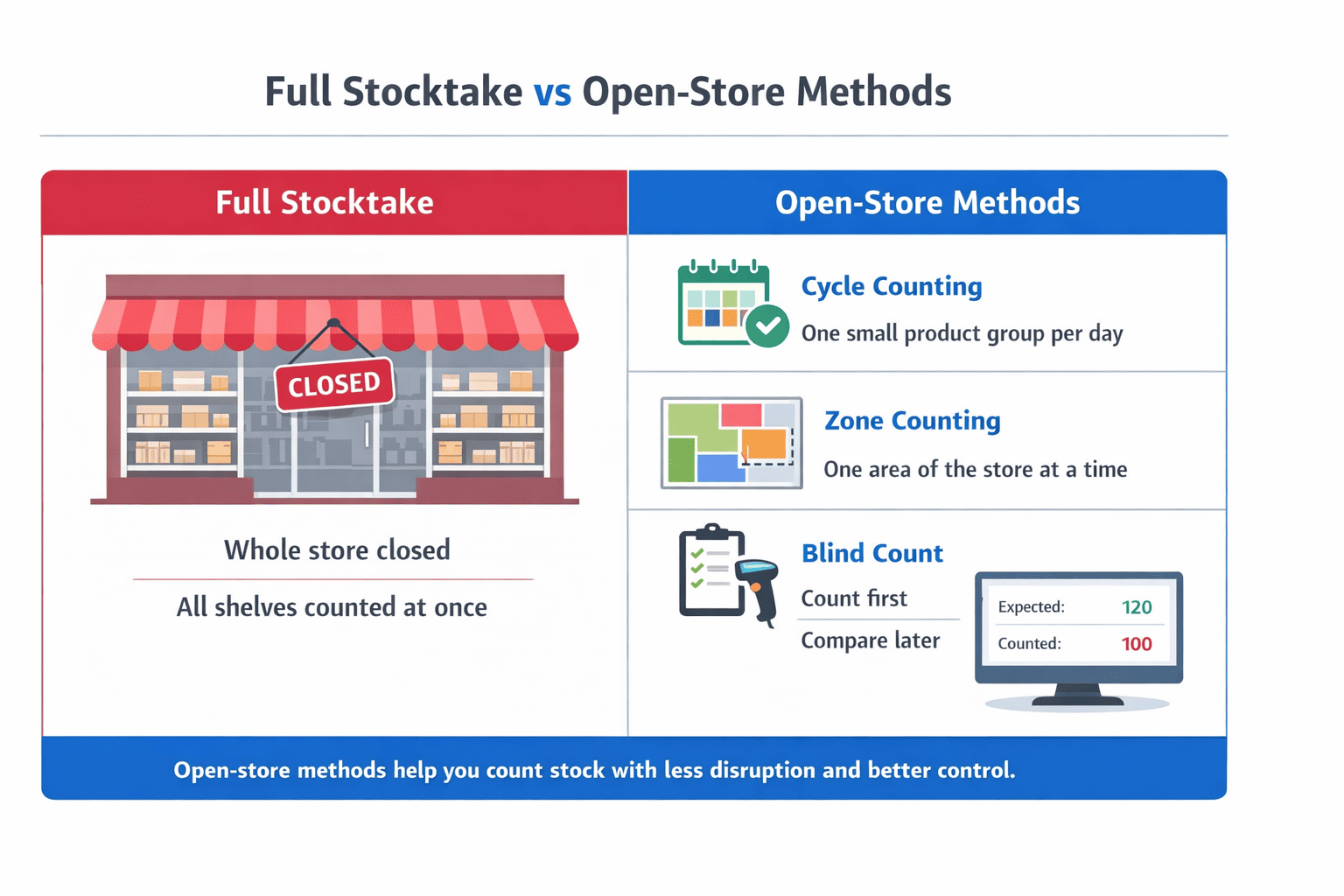
A full stocktake counts everything at once. That is why it often disrupts work, creates pressure for staff, and may force the store to pause sales for several hours. A better option for a busy store is to use stocktaking methods that break the job into smaller, easier parts.
The most useful methods for a store that stays open are cycle counting, zone counting, and blind counts. Each one helps reduce disruption in a different way.
Cycle Counting — Count Small Sections Daily
Cycle counting means you count a small group of SKUs on a daily or weekly schedule instead of counting the whole store at once. This method works well for fast-moving items, popular products, or categories where mistakes happen often. It helps you catch stock problems early and makes quick stock counting part of the normal routine.
Zone Counting — Split Store Into Zones
Zone counting means you divide the store or stockroom into sections and count one section at a time. This is useful when you want to do a partial stock count while the business is still trading. One team member can count one zone without disturbing the rest of the store, which makes the process easier to manage.
Blind Counts — Count Without Seeing the System Quantity
Blind counts mean staff count physical stock without seeing the expected quantity first. This helps reduce bias and gives you a cleaner inventory audit result. Blind counts are especially useful for expensive items, problem SKUs, or areas where stock variance appears often.
For most small stores, the best setup is simple: use cycle counting for fast-moving items, use zone counting for the rest of the store, and use blind counts for checks where accuracy matters most. Then keep a full audit for a less busy period.
These methods allow a stock take while open, without stopping sales.
Step 1 — Plan Your Counting Schedule
Now let’s set up the counting schedule.
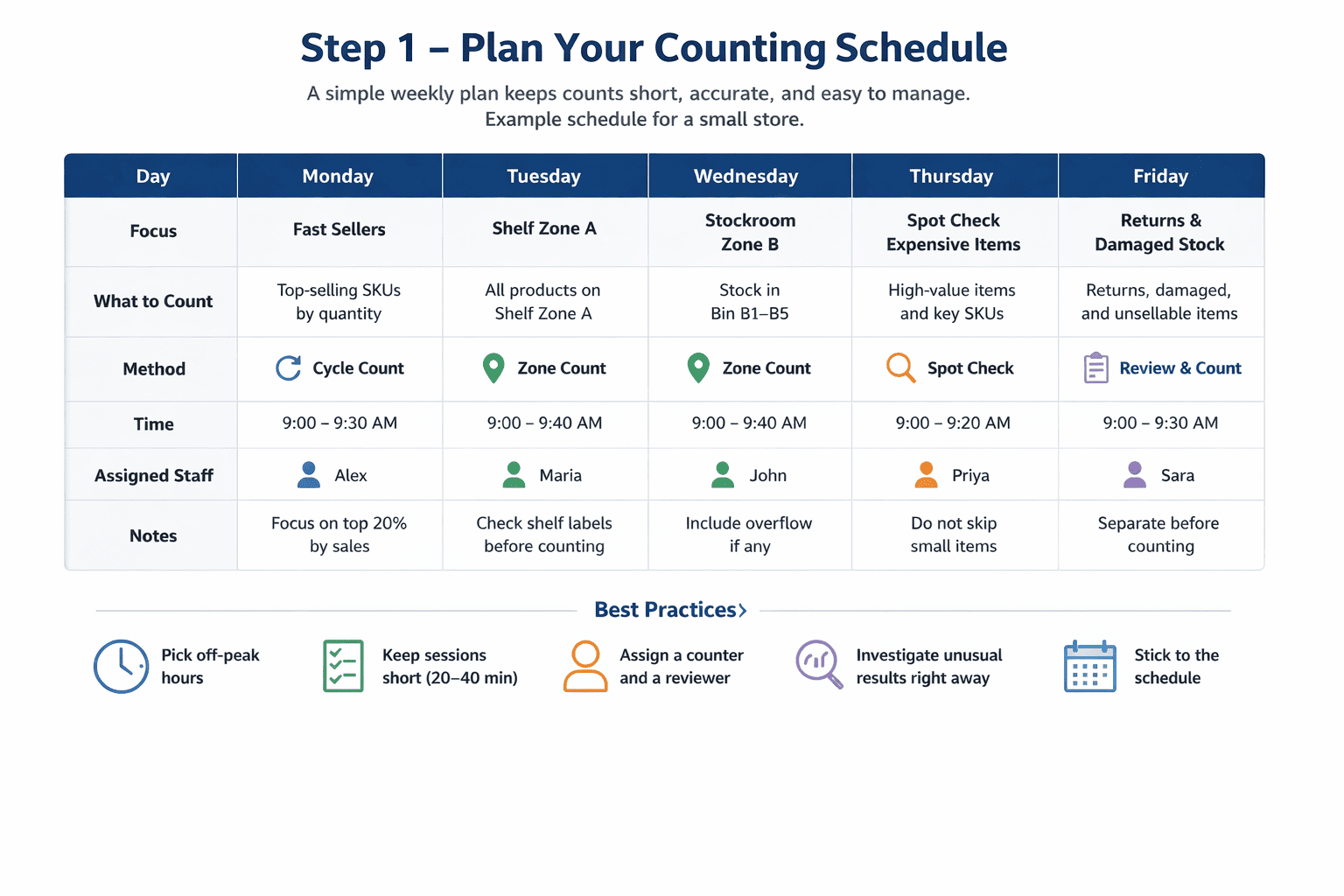
Start with off-peak hours. Pick quieter periods, divide stock into manageable sections, assign roles, and decide how often each group of items should be counted.
A practical schedule can look like this:
- daily cycle count for your fastest sellers
- weekly partial stock count for one zone
- monthly check for slower items
- quarterly full inventory audit
Keep each session short. A count that takes 20 to 40 minutes is easier to complete accurately than a long count done in a rush. Assign one person to count and one to review unusual results. That helps reduce stock variance and makes reconciliations easier later.
Step 2 — Prepare Your Catalog and SKUs
A clean count starts before anyone picks up a scanner or a clipboard.
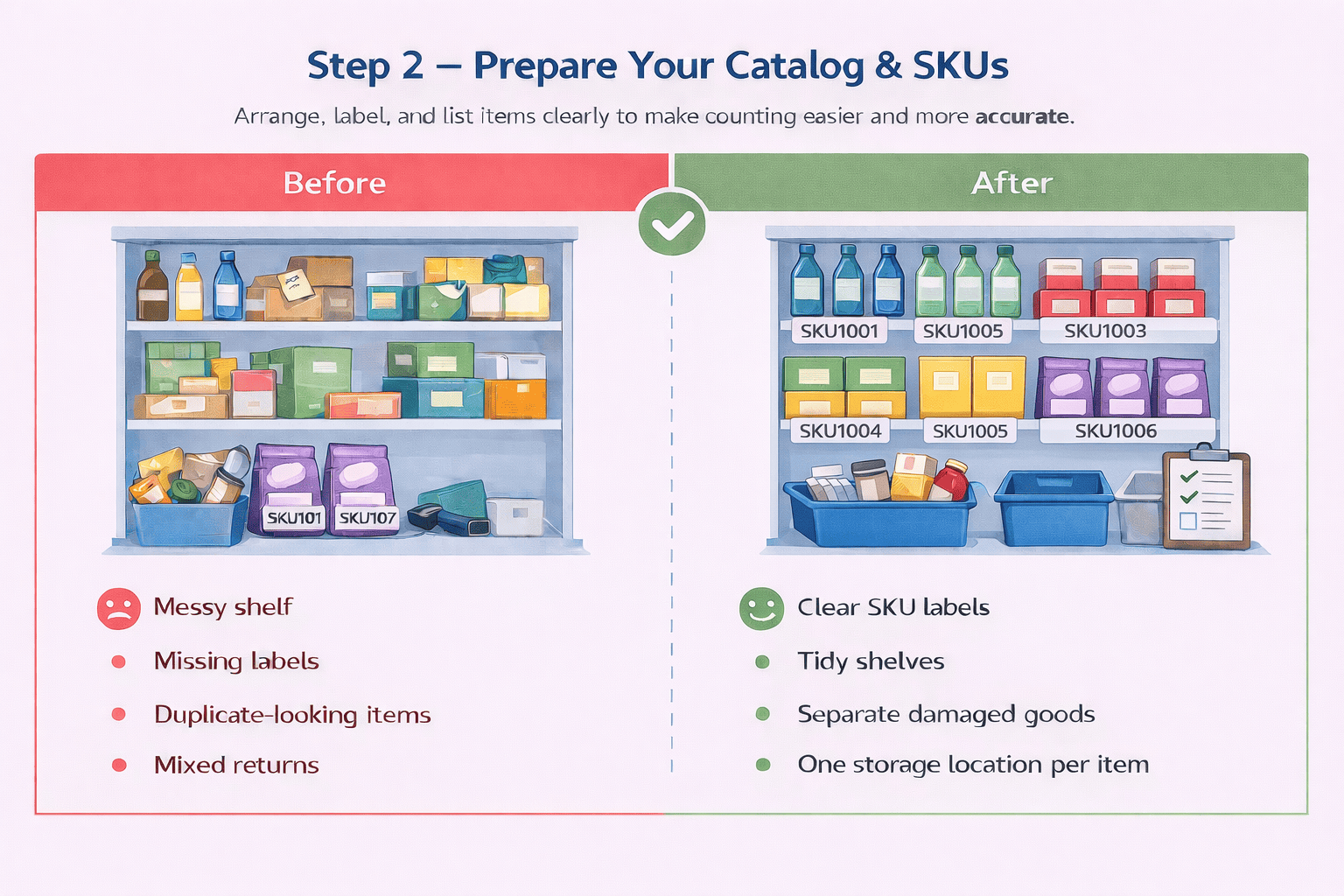
Make sure each product has one SKU, one label, and one usual storage location. Tidy shelves, separate damaged goods, and move returns aside. This stops the same item from being counted twice or missed completely.
Step 3 — Execute Partial Counts and Spot Checks
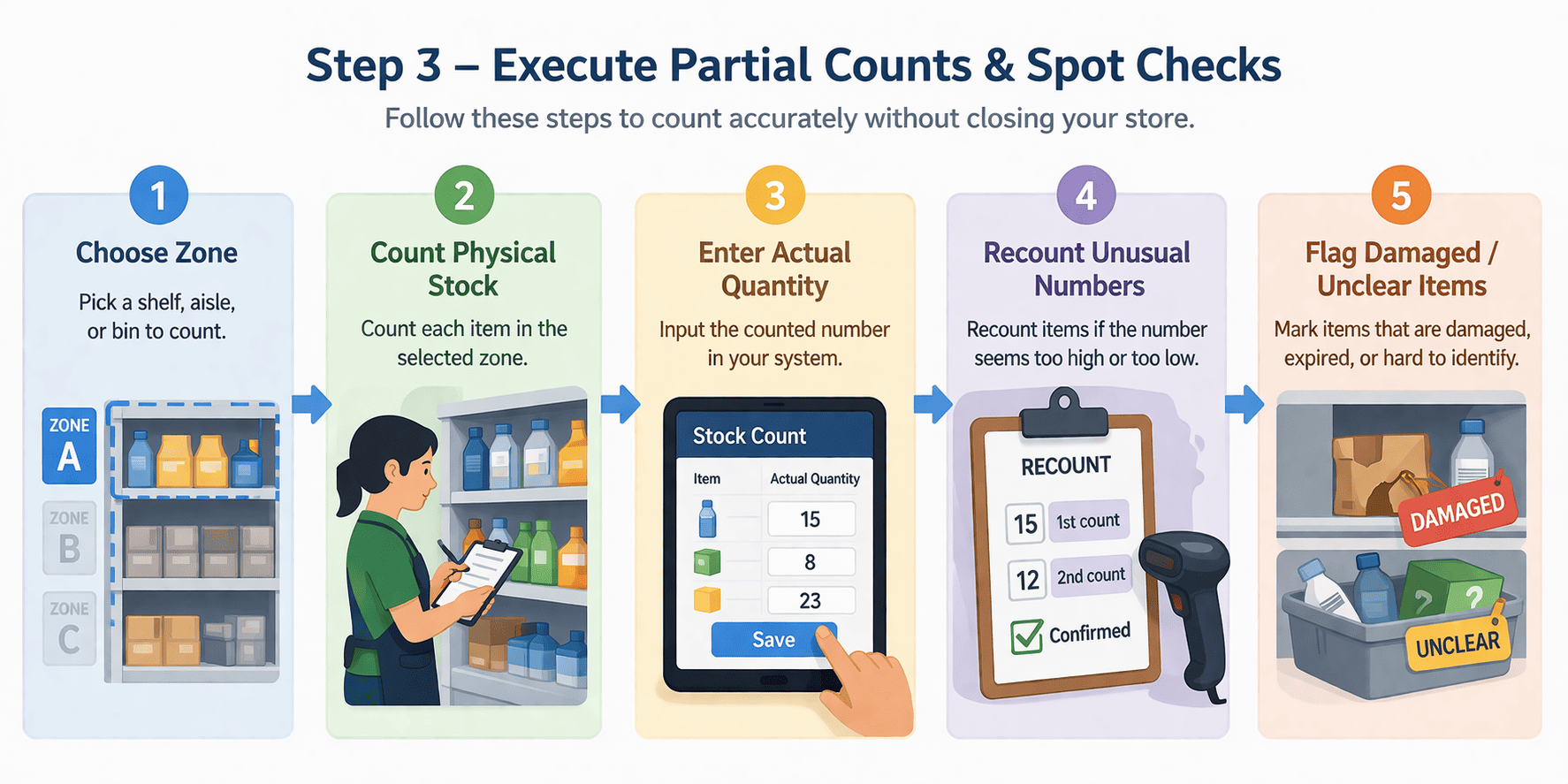
Now count zone by zone. Do not try to cover the whole store in one session. This approach works well for an inventory audit while trading.
Use this workflow:
- Pick one shelf, rack, or category.
- Count the physical units.
- Record the actual quantity.
- Recount only unusual numbers.
- Flag damaged or unclear stock.
If you use frequent stock counts in small groups, such as cycle counting, it is possible to count without closing the store entirely.
This is why partial stock count works well for live trading. You keep the scope small, reduce disruption, and still maintain inventory accuracy.
Use spot checks for fast-moving items, expensive goods, and products with frequent returns. For high-value items, a blind count gives a cleaner result because the counter is not influenced by the system number.
Step 4 — Reconcile Differences
This is where the count becomes useful.
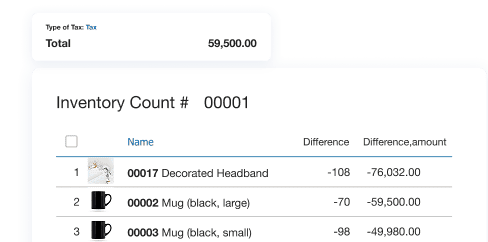
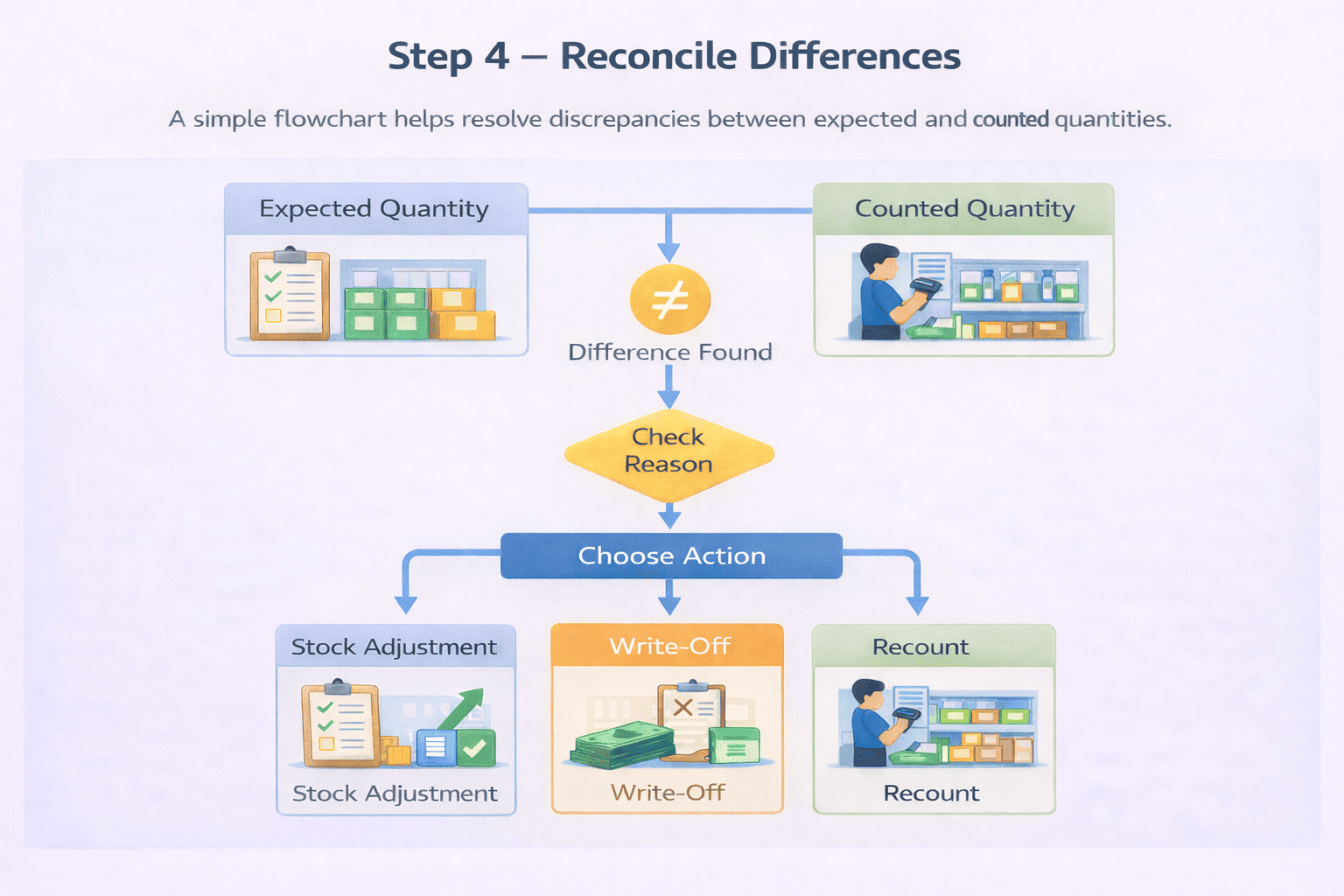
Compare the physical result with the system quantity. Then investigate the reason for the gap before making any stock adjustment.
Common causes of stock variance include:
- sales during the count
- wrong SKU picked earlier
- items in the wrong zone
- damaged goods
- late receiving entry
- duplicate counting.
Step 5 — Maintain Ongoing Accuracy
The easiest stocktake is the one that never turns into a giant problem.
The best model for a small store is to combine regular stock checks with periodic full stocktakes. That keeps records cleaner and helps you catch problems earlier.
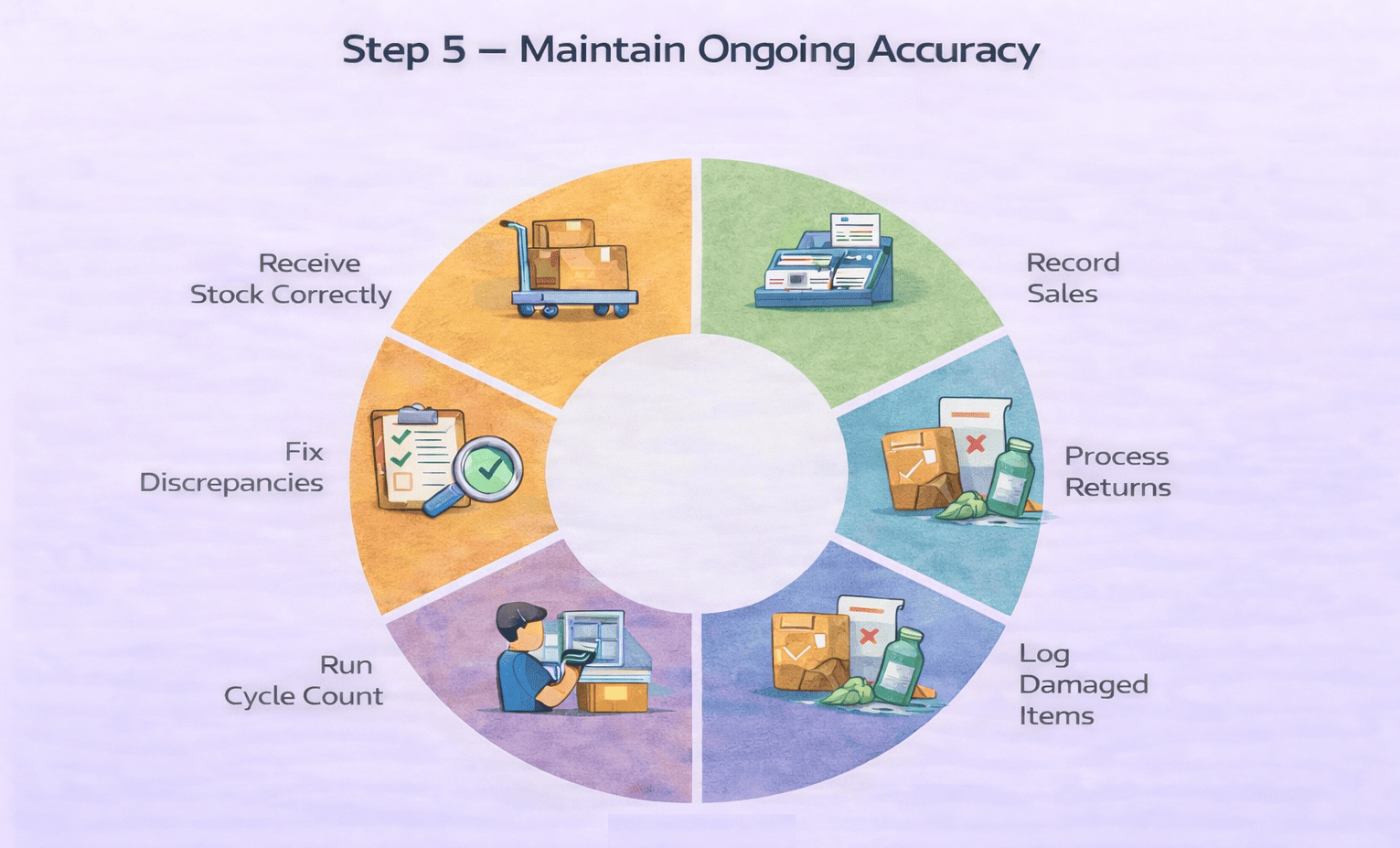
Use daily habits to keep inventory accuracy stable:
- record receivings on time
- post returns the same day
- log damaged items right away
- review repeated discrepancies
- follow a fixed counting schedule
You can still do a quarterly or half-year full audit. But it should be a review point, not the only moment when you check stock.
Why Kladana Helps Do This Without Chaos
Kladana fits this workflow well because it supports regular inventory counts, barcode-based counting, warehouse and bin counts, discrepancy review, and follow-up stock adjustments.
That matters when your store stays open. You can count one zone at a time, keep the count structured, and still update the result if sales happen during the process. Kladana also offers inventory control tools, barcode support, and step-by-step guides for small businesses.
Final Note
You do not need to shut down your store every time you need a stocktake. A better approach is to use cycle counting, zone counting, and partial stock counts on a regular schedule. This is often called a zero-disruption stocktake.
That helps you protect sales, reduce manual errors, and keep inventory accuracy under control. Start small: pick one zone, count during one quiet hour, reconcile the result, and repeat next week. Over time, stocktaking stops being a painful event and becomes a normal part of store operations.
Frequently Asked Questions on How to Count Your Stock
Here are quick answers to common questions about stocktaking while your store is open.
Can I count inventory while the store is open?
Yes. Use cycle counting or zone counting so only a small part of the stock is counted at one time.
What is cycle counting and how does it work?
Cycle counting means you count selected SKUs on a schedule instead of counting the whole store at once.
Zone counting vs full stock take — which is better?
Zone counting is better for live operations. A full stocktake is better for a less frequent full review.
How often should I do a full audit?
Many small businesses do a full audit quarterly or twice a year, with smaller counts in between.
How do I reconcile count discrepancies?
Compare physical and system quantities, find the cause of the gap, then post the right stock adjustment or write-off.
What if items are missing or damaged?
Separate them, note the reason, and process the correct adjustment after review.
How do I train staff for counting?
Give each person one zone, one clear method, and one simple rule for recording counts.
Can small businesses do accurate stock counts with minimal staff?
Yes. Short, regular counts are often easier and more accurate than one large stocktake.
Does Kladana support live stock adjustments during count?
Yes. Kladana lets you update expected quantities if sales happen during the count, then create a write-off or stock adjustment after review.
How do I minimize disruption during busy hours?
Count during slower periods, work by zone, and focus first on fast-moving or high-value SKUs.