
Expired stock is one of the easiest ways to lose money without noticing it early. A cream sits too long in storage and expires. A batch of sauce passes its sell-by window. Then you write it off, refund a customer, or deal with a complaint.
The good news is that you do not need a heavy system to track expiry dates in inventory. A simple setup with batch tracking, expiry dates, alerts, and stock rotation can help you catch problems before products go bad.
This article explains how to set up simple expiration date tracking for food and cosmetics. You will see how to record batch numbers, monitor shelf life, use stock rotation rules, and act before products expire.
- Why Expiry Tracking Matters for Perishables
- Basic Concepts: Batches, Lot Numbers & Shelf Life
- Step 1 — Enable Batch Tracking and Expiry Dates
- Step 2 — Add Products with Expiry and Batch Info
- Step 3 — Set Expiry Alerts and Review Rules
- Step 4 — Use FEFO or FIFO Rotation for Picking
- Step 5 — Monitor and Clean Up Expired Stock
- Key Takeaways
- Frequently Asked Questions on Expiration Date Tracking
- List of Resources
Why Expiry Tracking Matters for Perishables
Food, cosmetics, and supplements all have one thing in common: time changes the product. That is why shelf life management matters even for small shops or young brands.
Financial loss from expired stock
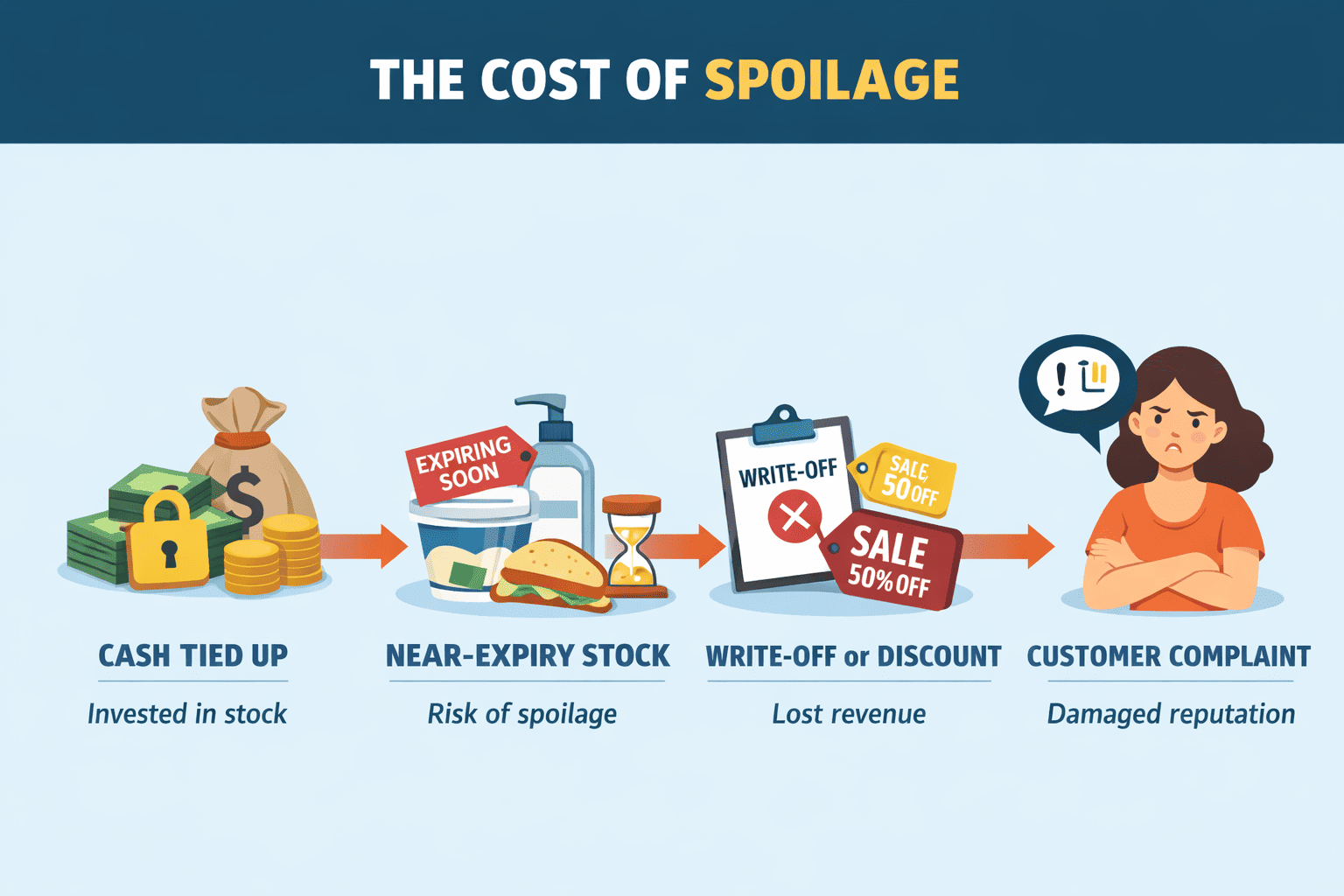
Expired goods turn working capital into waste. You buy stock, store it, and then lose the chance to sell it. UNEP reports that in 2022 the world wasted 1.05 billion tonnes of food at retail, food service, and household level. That number covers the whole chain, but it shows how expensive poor product rotation can become.
For a small business, the pattern is simple: too much stock, no expiry alerts, and no clear batch view lead to spoilage. Good expiration date tracking helps you see which products need action first. You can discount near-expiry stock, bundle it, or slow down reorders.
Reputation and compliance risks
The loss is not only about money. Customers expect fresh and safe products. One expired snack or one cosmetic item with poor expiry control can damage trust fast. That makes product expiry control part of good business practice, not just a warehouse habit.
Basic Concepts: Batches, Lot Numbers & Shelf Life
Before setup, it helps to define three basics.
A batch or lot number is a group of items made or received together. If you receive 200 jars of face cream from one production run, that can be one batch. If you bake 50 loaves this morning and 50 tomorrow, those are two different batches.
Shelf life is how long a product stays suitable for sale or use under the right storage conditions. This matters because food and cosmetics can lose quality over time, even when packaging still looks fine.
Many beginners start with FIFO — first in, first out. That means older stock leaves first. It is a good base rule. But for perishable inventory management, FEFO is better: first expiry, first out. Kladana supports selling products with an earlier expiry date first, which is exactly what food and cosmetics sellers need.
Step 1 — Enable Batch Tracking and Expiry Dates
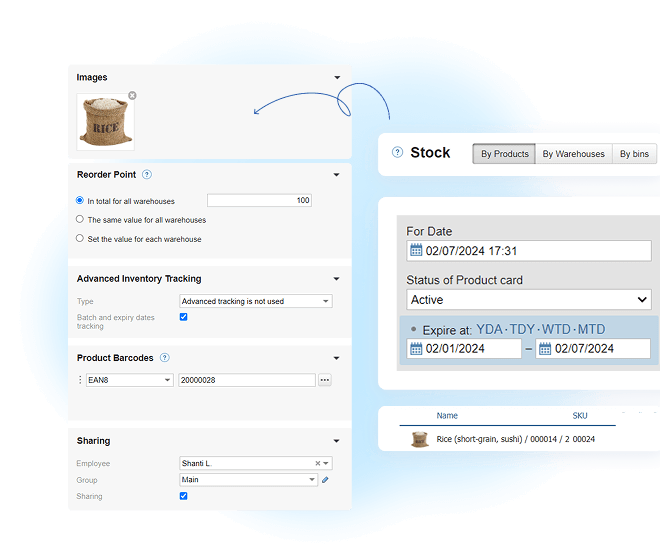
Start by turning on batch tracking in your system. This matters because not every item needs expiry control. A serum, sauce, or snack bar does. A gift bag or display stand does not. You can also enable this for multiple products through bulk editing, which saves time when you have many SKUs.
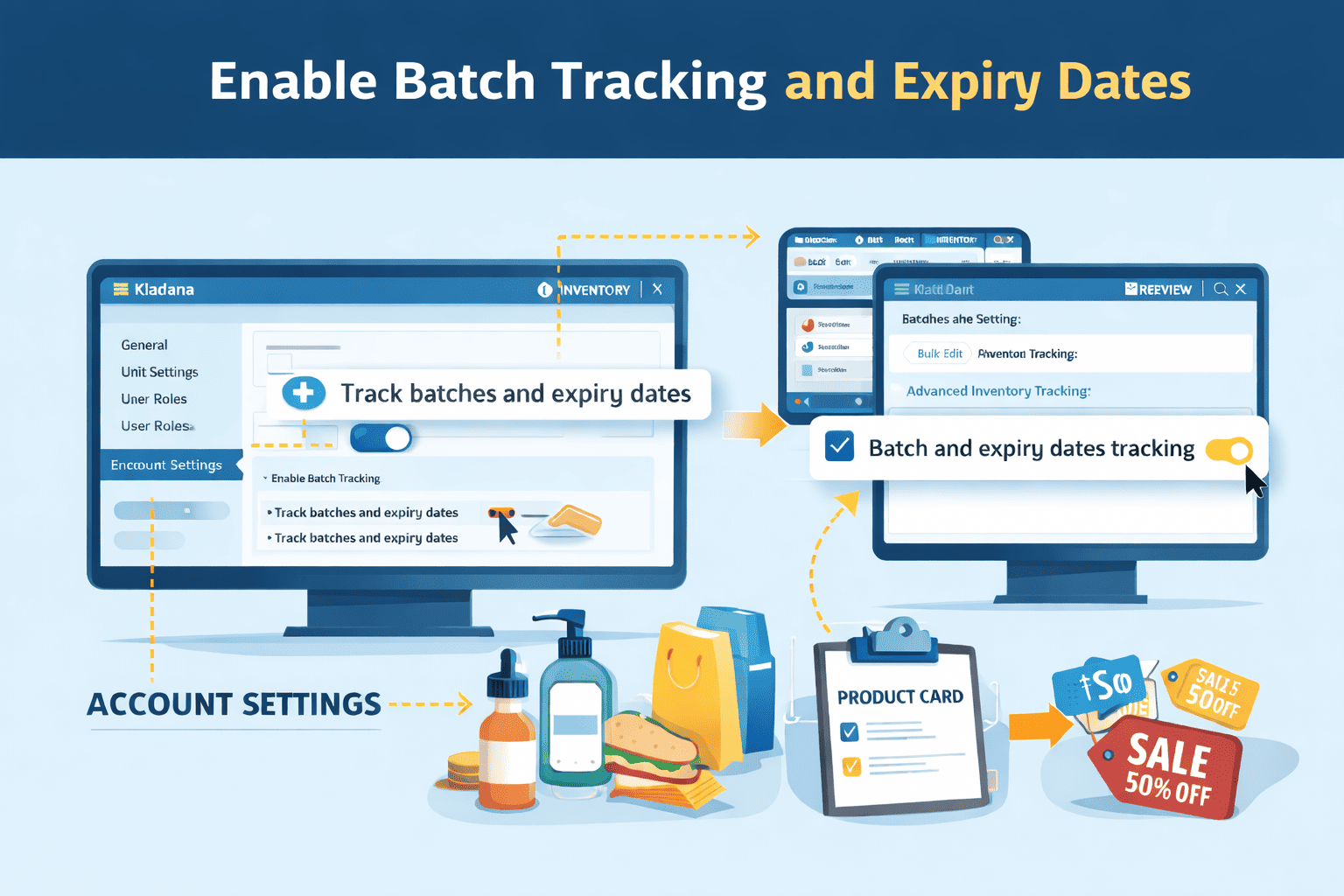
In Kladana, the setup is done in two places: account settings and product cards. Check this video tutorial to see how batch and expiry tracking works in Kladana:
Step 2 — Add Products with Expiry and Batch Info
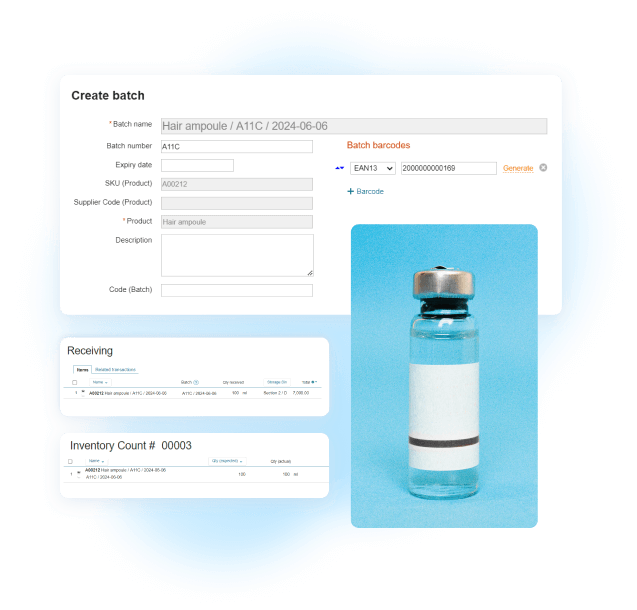
Once tracking is on, add batch details when stock enters the warehouse. This is where batch number management becomes useful. You stop seeing one large stock figure and start seeing separate lots with their own dates. For food businesses, that helps reduce spoilage. For cosmetics, it helps you separate production runs and control cosmetic expiry more clearly.
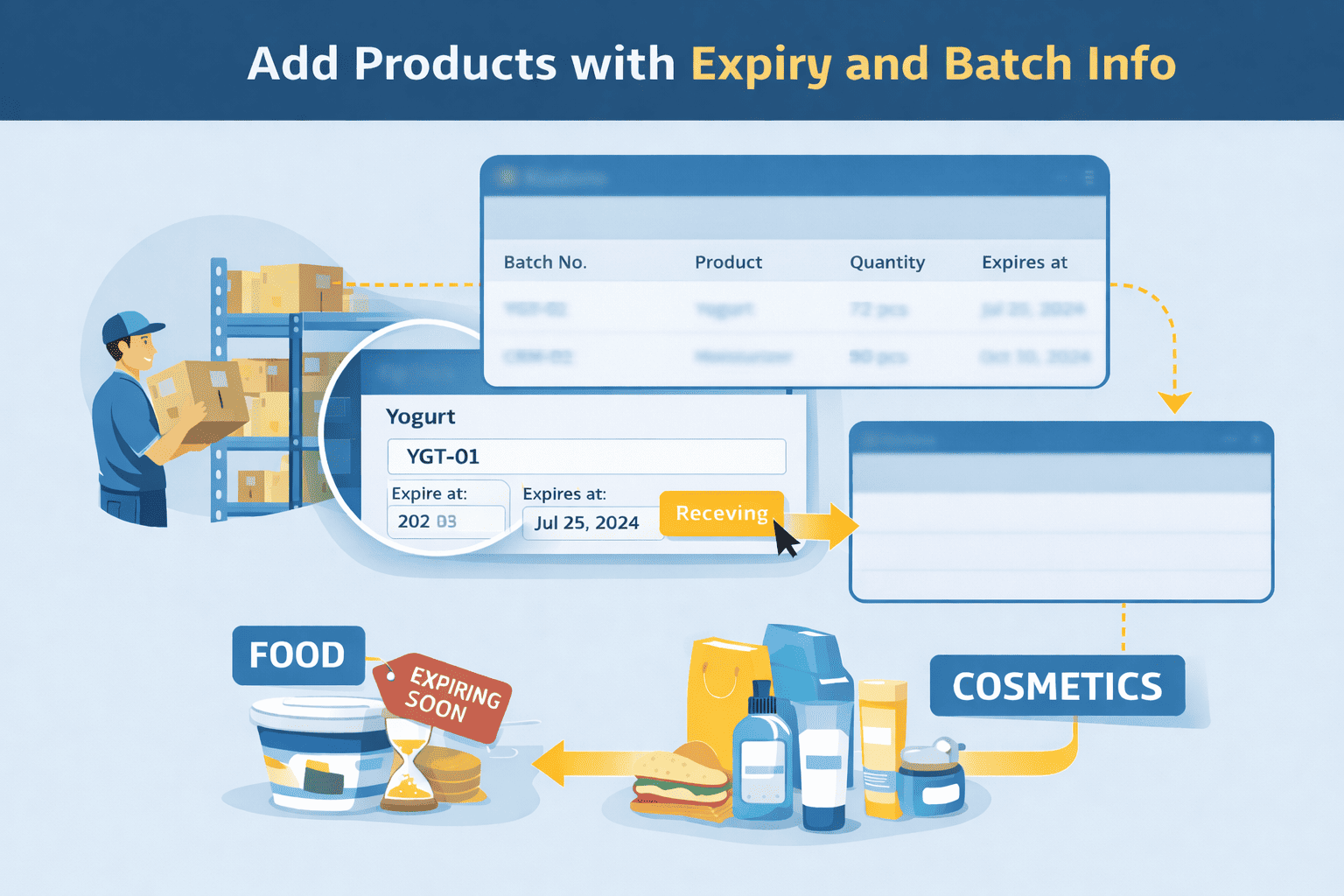
In Kladana, you can create a batch from the Batches section or during a Receiving. The main fields are simple: product, batch number, and expiry date. Kladana can also generate batch names automatically. This is especially useful for food inventory and cosmetics inventory where shelf life varies between batches.
Step 3 — Set Expiry Alerts and Review Rules
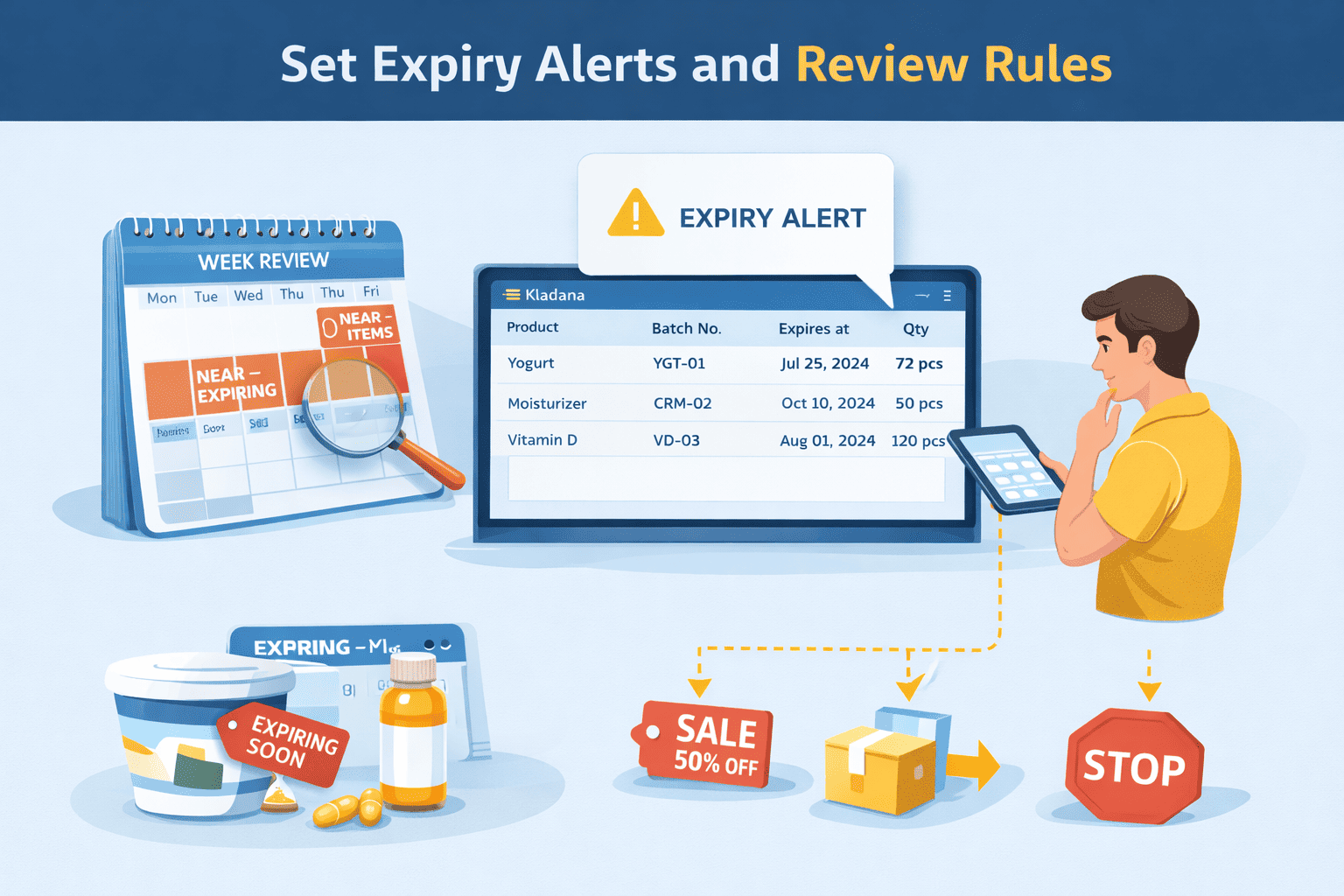
A good system warns you before products expire. Expiry alerts are one of the easiest ways to automate expiration date tracking. A simple beginner rule is to review stock that expires in the next 7 to 30 days. Fresh products may need a shorter window. Cosmetics and supplements may need a longer one.
Even with alerts in place, add one routine: review near-expiry items every week. That gives you time to discount stock, move it to another channel, or stop reordering too soon.
Step 4 — Use FEFO or FIFO Rotation for Picking
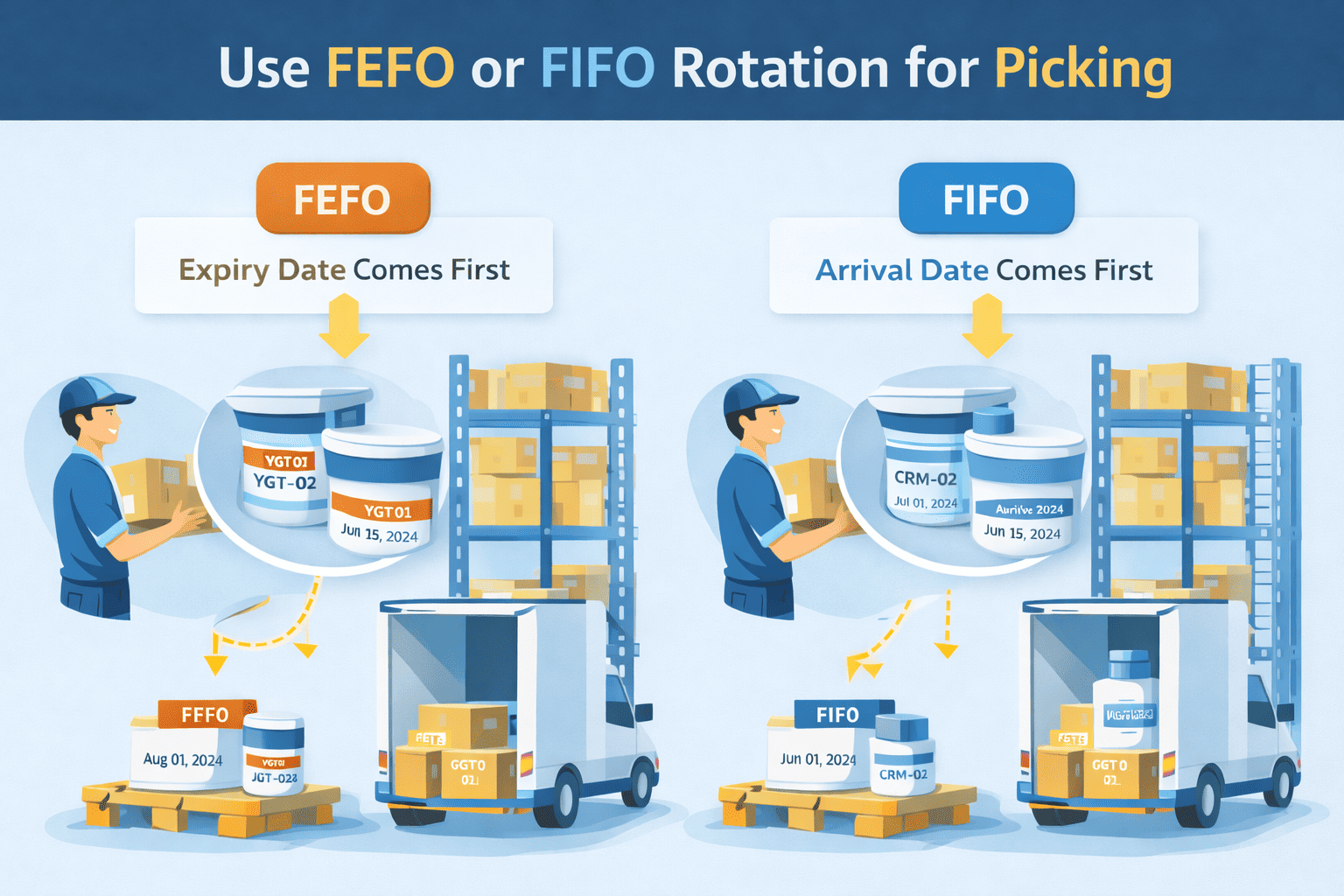
When orders arrive, pick the stock that should leave first. For perishables, that is usually FEFO. FIFO follows the arrival date. FEFO follows the expiry date.
That helps stop one common mistake: shipping a newer batch that expires sooner while an older but safer batch stays on the shelf. In food safety and cosmetics, FEFO is usually the safer rule.
Step 5 — Monitor and Clean Up Expired Stock
Expiry tracking is not a one-time task. You need a short weekly check.
A simple routine works well:
- check near-expiry stock once a week;
- discount or bundle slow items;
- write off unsellable stock;
- review why it expired.
This step helps with reorder decisions too. If the same items keep expiring, the issue may be overbuying, weak demand, or poor shelf rotation.
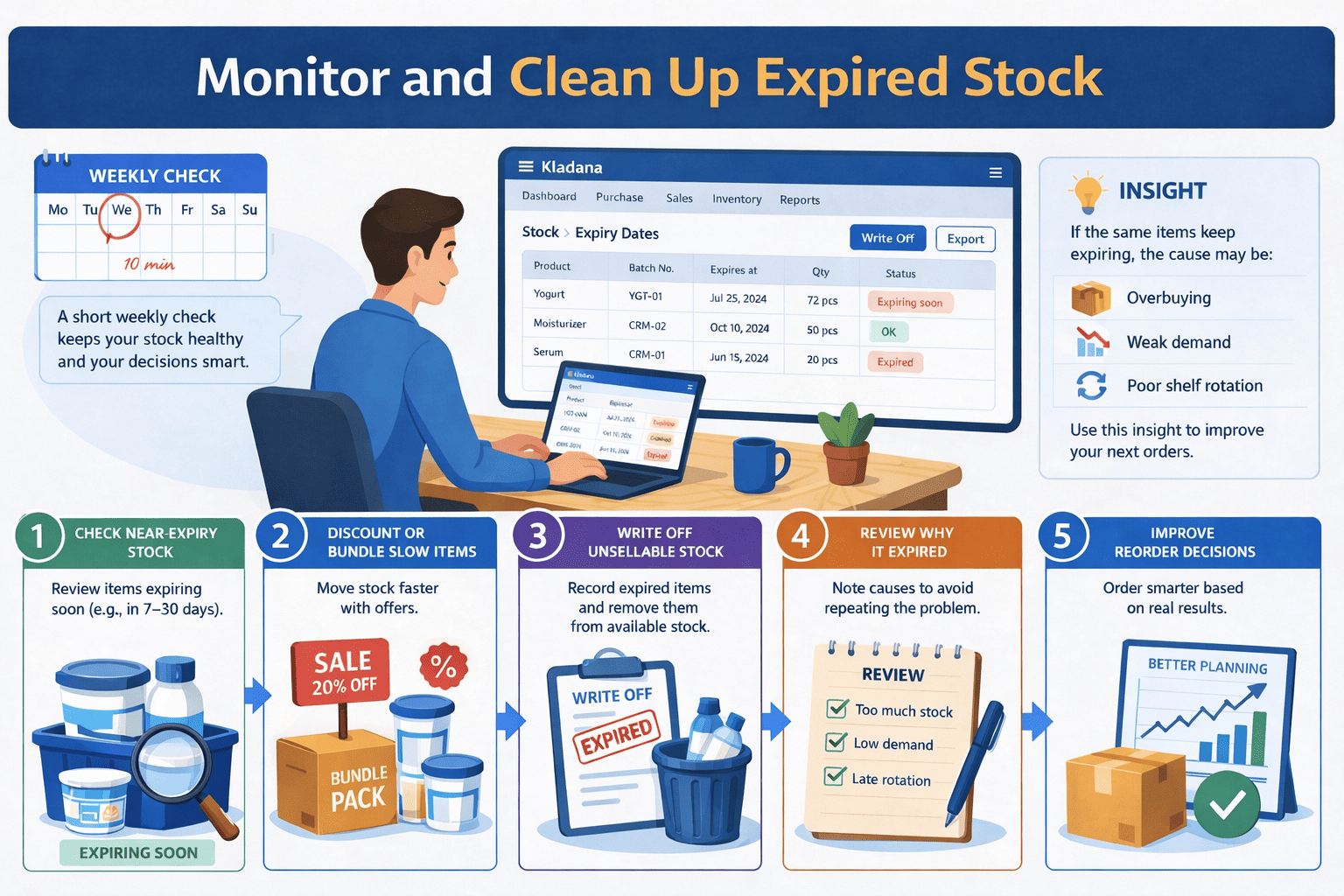
In Kladana, you can monitor expiry dates in stock and write off expired products.
Key Takeaways
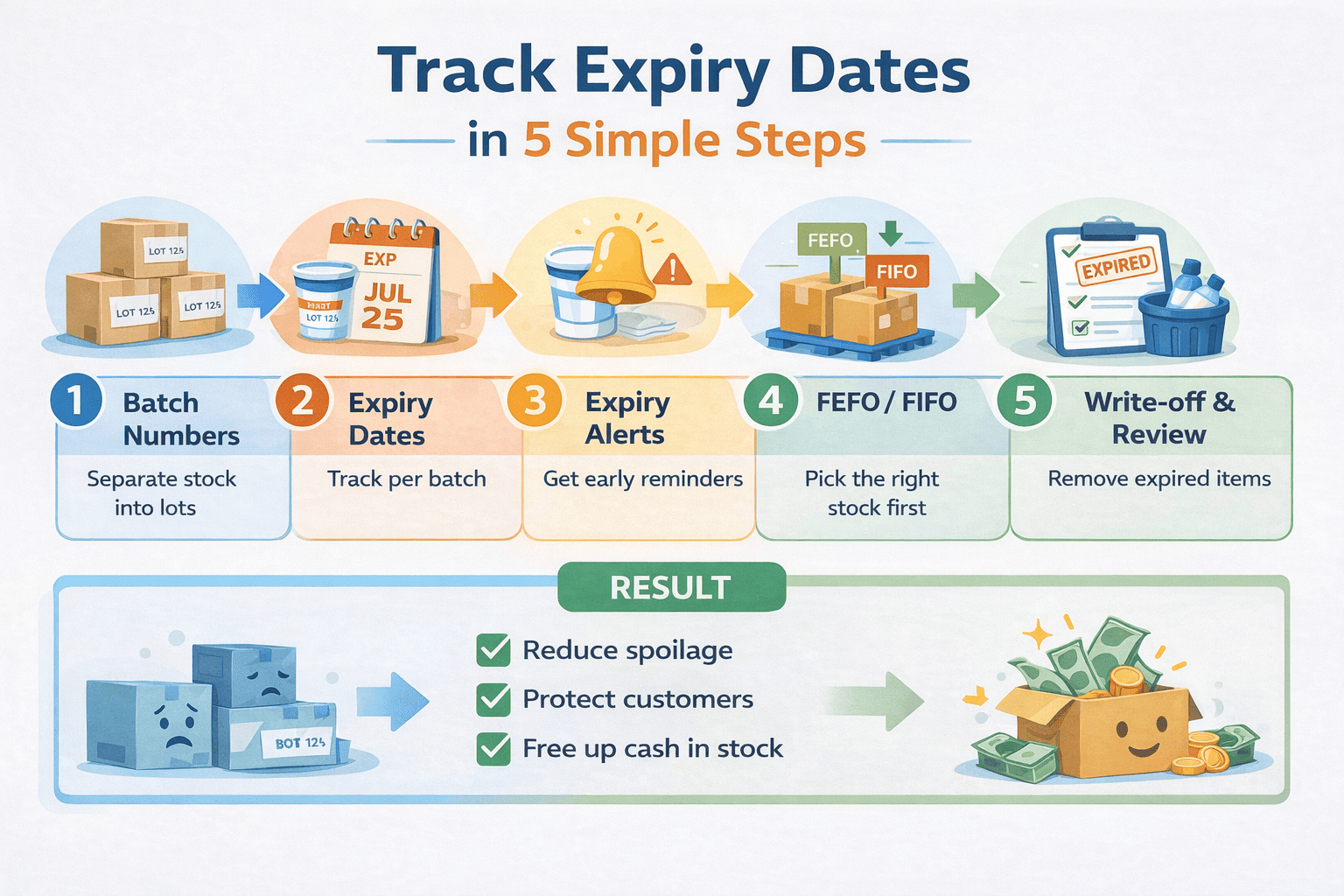
To track expiry dates inventory in a simple way, you need five things:
- batch or lot numbers;
- expiry dates per batch;
- expiry alerts;
- FEFO or FIFO rotation;
- regular write-off and review.
A simple routine helps make tracking expiry dates inventory part of your weekly workflow.
Frequently Asked Questions on Expiration Date Tracking
Below are short answers to the most common questions small businesses have about expiration date tracking, batch control, and stock rotation.
What is batch/lot tracking?
It means tracking groups of items by lot or production run, not only by product name.
How do I set expiry dates in inventory software?
Turn on batch tracking, then add batch number and expiry date when you receive or create stock.
Do I need expiry tracking for non-perishable items?
Usually no. It matters most for products with limited shelf life.
What is the best rotation rule for food and cosmetics?
FEFO is usually better because it follows the expiry date first.
When should I review near-expiry stock?
Weekly is a good starting point for most small businesses.
How should I handle expired items?
Remove them from sale, write them off, and review the cause.
Can I discount near-expiry products?
Yes. That is one of the easiest ways to reduce loss before stock expires.
Does expiry tracking help with reordering?
Yes. Expired stock often shows that reorder timing or quantity needs fixing.
List of Resources
UN Environment Programme — Food Waste Index Report 2024
Read‑alikes
Warehouse Bin Storage: Principles and Best Practices
How Does a Pick and Pack Warehouse Work
Warehouse Management System Process Flow: Steps, Charts, and SOP Templates
Serial Number Tracking for Beginners: Why and How to Use It
Organizing Your Product Catalog: Categories, Groups, and Smart Structure