
Keeping stock accurate is one of the toughest challenges for small businesses. Goods arrive, goods go out, and the numbers on paper rarely match what you see on the shelf. You might find missing items, unexpected shortages, or boxes you forgot to count. A simple mistake in recording movements can cause stockouts, lost sales, or too much cash tied up in slow-moving products.
This guide shows the stock in and stock out process step by step so small businesses can keep inventory accurate without complex tools. You’ll learn what each term means, how to record movements correctly, and how to build a routine that keeps your inventory reliable.
These steps are simple and work for any small shop, warehouse, or growing online business. By the end, you’ll have a clear method to reduce errors, avoid surprises, and keep stock under control.
- What Does “Stock In” and “Stock Out” Mean?
- Why Accurate In/Out Tracking Matters for Small Businesses
- Step 1 — Organize Your Product List
- Step 2 — Record Every Stock In (Receiving Inventory)
- Step 3 — Record Every Stock Out (Sales, Shipments, Write-Offs)
- Step 4 — Keep Counts Synced Regularly
- Step 5 — Watch for Early Warning Signs (Low Stock Alerts)
- Why Kladana Makes This Easy
- Frequently Asked Questions on Inventory in and out Tracking
What Does “Stock In” and “Stock Out” Mean?
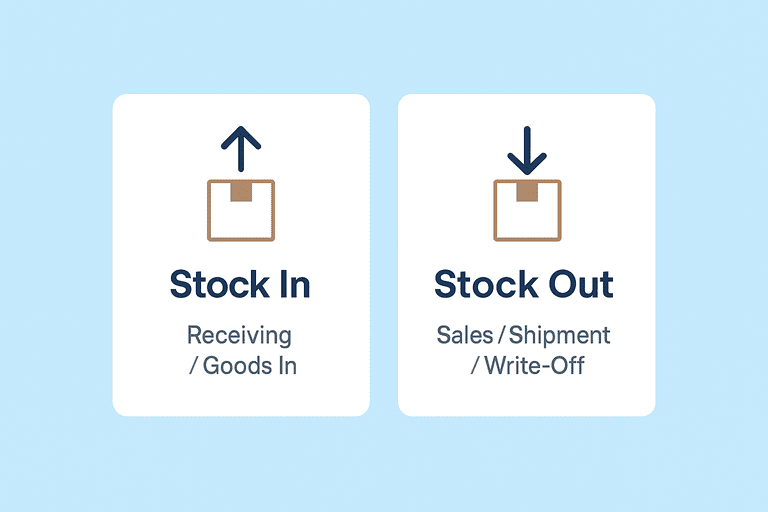
This section explains the stock in stock out meaning in simple words. Small businesses use many terms for stock movements: goods in, goods out, receiving, issuing, dispatch, write-off. All of these fall under two basic operations that keep your inventory accurate: stock in and stock out. Understanding these two terms is the first step toward fixing stock mismatches and keeping your counts reliable.
Stock in = goods entering your business
Stock in means adding items to your inventory. It happens every time new goods arrive or return to your shelves.
Common examples of stock in:
- You receive items from a supplier according to a purchase order
- A customer returns a product in good condition
- You find missing items during a stock count and add them back
- You move items from another warehouse or branch into your location
Stock in increases your available quantity and must be recorded immediately to avoid overstocking or confusion.
Stock out = goods leaving your business
Stock out means reducing items from your inventory. These movements happen more often and are usually where errors occur.
Common examples of stock out:
- You ship an order to a customer
- You sell items in a physical shop
- You write off damaged, expired, or lost stock
- You transfer goods to another location/branch or for internal use
Stocking out reduces available quantity. If not recorded on time, it leads to overselling, wrong reports, and sudden stockouts when you need items most.
If you regularly record both stock in and stock out, you create a clear picture of what you have, what you sold, and what needs restocking. This is the foundation of good inventory control.
Why Accurate In/Out Tracking Matters for Small Businesses
Accurate stock in and stock out tracking creates stability in daily operations. It protects your cash, prevents unpleasant surprises, and supports better decision-making. Let’s examine why this simple habit plays such an important role in a small business’s well-being.
It Prevents Sudden Stockouts and Overselling
A stockout isn’t just an empty shelf. It means delayed orders, canceled sales, and disappointed customers who may not return. Clear stock out records help you spot fast-moving items early, reorder on time, and avoid situations where you promise stock that isn’t actually available.
It Helps You Avoid Overstocking and Trapped Cash
Excess inventory looks harmless at first, but it locks up working capital, fills your storage room, and increases the risk of damage or expiry. When every stock in entry is recorded, you always know what you already have and can avoid buying more than necessary.
It Reduces Operational Errors
Most inventory mistakes start small: a missing receipt, a shipment not recorded, a damaged item not written off. These gaps add up and make your reports unreliable. Consistent in/out tracking keeps your records clean, saves time, and lowers the effort spent on corrections later.
It Improves Purchasing and Sales Decisions
Accurate movement data shows which products sell quickly, which slow down, and when demand changes. This helps you set better reorder levels, plan promotions, and avoid buying stock based on guesswork.
📖 Recommended Reads
Choose one based on what you want to improve next:
🟢 Fix daily mismatches?
Read “Stock Replenishment Basics” for practical routines.
🟢 Scale beyond spreadsheets?
Read “ERP for Warehouse Management” to understand automation.
🟢 Reduce counting time?
Read “Smart Warehouse Barcoding” to speed up physical checks.
Below you’ll find five basic steps that help organize the stock in and stock out routines properly, avoid overstocking and stockouts, and plan your purchases & sales accordingly.
Step 1 — Organize Your Product List
A clear and structured product list makes the stock in and stock out process easier to manage every day. It reduces confusion and makes all further stock in/out steps quicker and more reliable. If item names are unclear or duplicates exist, even the best workflow will fail.
🧩 Create clean and consistent product names
Use simple names your team can understand at a glance. Avoid variations like “Shirt Blue L,” “Blue Shirt Large,” and “Shirt L Blue” for the same item.
🧩 Assign SKUs to every product
SKUs help you distinguish similar items, track them faster, and avoid mixing variants during receiving or shipping. Even a basic manual SKU system is enough for a small business.
🧩 Group items into categories
Categories make reports easier to read and help you notice which types of products move faster. Common groups include clothing, accessories, components, raw materials, or packaging.
Step 2 — Record Every Stock In (Receiving Inventory)
Accurate receiving creates a reliable starting point for all stock movements that follow. If you miss a receipt or record it later, your numbers will stay incorrect no matter how well you track sales or shipments. A simple routine for receiving goods helps prevent shortages, overordering, and confusion during stock counts.
🧩 Use purchase orders to confirm what should arrive
A purchase order acts as your checklist. Compare the delivered items with the PO, note differences, and only then add the quantity to your stock.
🧩 Record stock in immediately
Delaying the entry is one of the most common sources of errors. Add items as soon as they reach your shop or warehouse, even if it’s a small delivery.
🧩 Capture batch or serial numbers when relevant
Tracking batches or serials helps you manage expiry dates, recalls, and warranties. Add this information during receipt rather than later.
🧩 Store items in their correct location
Place goods in their bin or on their shelf right after recording them. Mixing locations often leads to lost items or double-counting.
📦 Start Recording Stock in and Stock out Digitally
Manual notes and spreadsheets often lead to missed entries. Kladana lets you receive goods using purchase orders, track batches, and update stock instantly.
Step 3 — Record Every Stock Out (Sales, Shipments, Write-Offs)
Stock out movements happen more often than stock in, so even small delays or missed entries can destroy all credibility of your inventory records. Record every quantity reduction to avoid overselling, customer complaints, and wrong reports.
🧩 Link stock out to sales orders
Whenever you ship an order or hand over an item in your store, reduce the quantity immediately. Each sale should create a clear trail from order → fulfillment → stock out.
🧩 Record shipments accurately
If you pack and dispatch items, check the picked quantity against the order to avoid mistakes. Wrong picks are a major reason inventory counts drift from reality.
🧩 Account for damaged, expired, or lost items
Not all stock leaves through sales. Record stock adjustments such as damaged or misplaced items to keep your inventory in and out tracking consistent.
🧩 Log internal transfers
If you move goods between locations or use them internally, treat it as a stock out from one place and a stock in for another. This keeps location-level reports accurate.
Step 4 — Keep Counts Synced Regularly
Even if your receiving and shipping processes are clear, stock accuracy will slip if updates happen irregularly. A short daily or weekly routine helps you catch mistakes early and prevents long, stressful stock counts later. Small business inventory accuracy improves quickly when all in/out movements are updated on time.
🧩 Set a fixed time to update records
Choose a consistent moment: end of day, end of shift, or a specific hour. This makes stock in/out updates part of your normal workflow, not an occasional task. This consistent routine reduces the effort needed during full inventory counts.
🧩 Review yesterday’s movements
Check whether all receipts, shipments, and write-offs were recorded. Small gaps often appear when the team is busy or deliveries arrive late. Pay special attention to it during the high season.
🧩 Do quick spot checks
You don’t need a full inventory count every day. Check a few fast-moving items or anything with recent differences. Spot checks help you detect errors before they grow.
🧩 Update spreadsheets or systems immediately
If you work on paper or Excel, avoid batching updates. Ensure that the information is regularly backed up. If you use a digital system, stock adjusts automatically as you record movements.
Step 5 — Watch for Early Warning Signs (Low Stock Alerts)
Good inventory control means more than tracking movements. You must notice early signs that something is wrong. They can help you avoid shortages, prevent excess stock, and solve problems before they become expensive.
🧩 Set reorder levels for key products
Reorder levels act as an early alert. When a product reaches this quantity, it signals that you should restock soon. Choose levels based on sales speed, supplier lead times, and seasonality.
🧩 Track fast-moving and essential items
Some products sell much faster than others. Keep an eye on their daily or weekly movements so you can reorder them before they create stockouts or lost sales.
🧩 Notice unusual patterns
If an item sells faster than usual, the reason may be increased demand, a promotion effect, or even a recording mistake. Quick checks help you find the cause and adjust your stock plans.
🧩 Review slow movers
Items that sit on the shelf for too long tie up cash and take up storage space. Noticing them early enough motivates you to plan discounts, bundles, or reduce future purchases.
These checks help you understand how to manage stock in stock out in a predictable way.
🏆 Never Miss a Reorder Point Again
Kladana sends low-stock alerts, shows fast-moving items, and updates stock levels as you record movements. This helps you reorder on time and avoid unexpected shortages.
Kladana automates the entire stock in and stock out process so you spend less time updating spreadsheets.
Why Kladana Makes This Easy
Stock in and stock out tracking is simple on paper but hard to maintain when your business gets busy. Deliveries arrive at the wrong time, orders pile up, and manual updates fall behind. Kladana helps small businesses keep inventory accurate without complex tools or IT skills.
Transparent stock in/out workflow
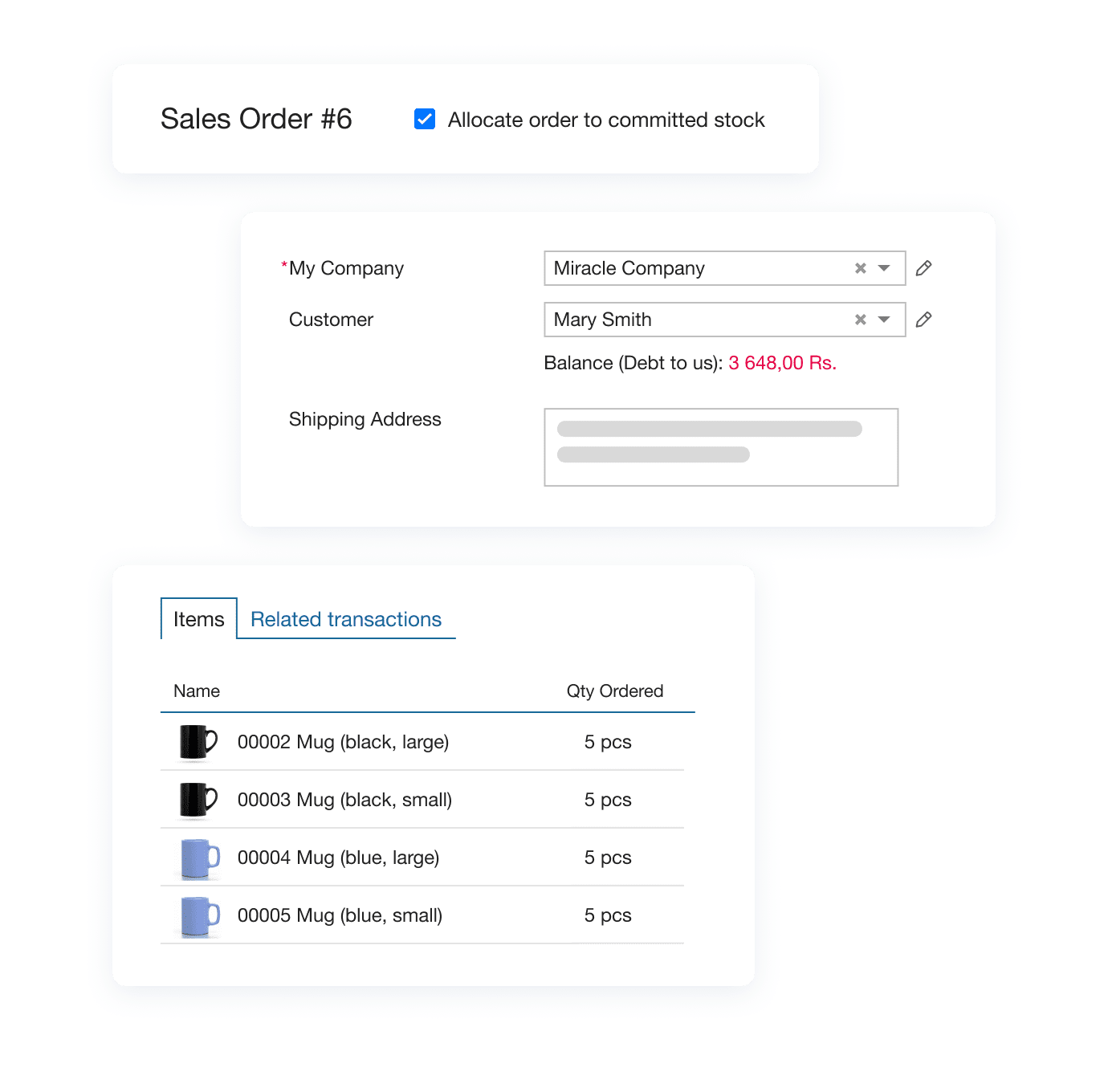
You can receive goods using purchase orders or create sales orders to sell them, track batches or serial numbers, and update stock levels instantly. Every stock in and stock out entry stays linked to the transaction that created it.
Automatic tracking for sales and shipments
When you fulfil a sales order, Kladana reduces the quantity in real time.
Low-stock alerts and reorder visibility
Kladana highlights products that need attention, shows fast movers, and helps you set simple reorder levels.
Supports multi-location businesses
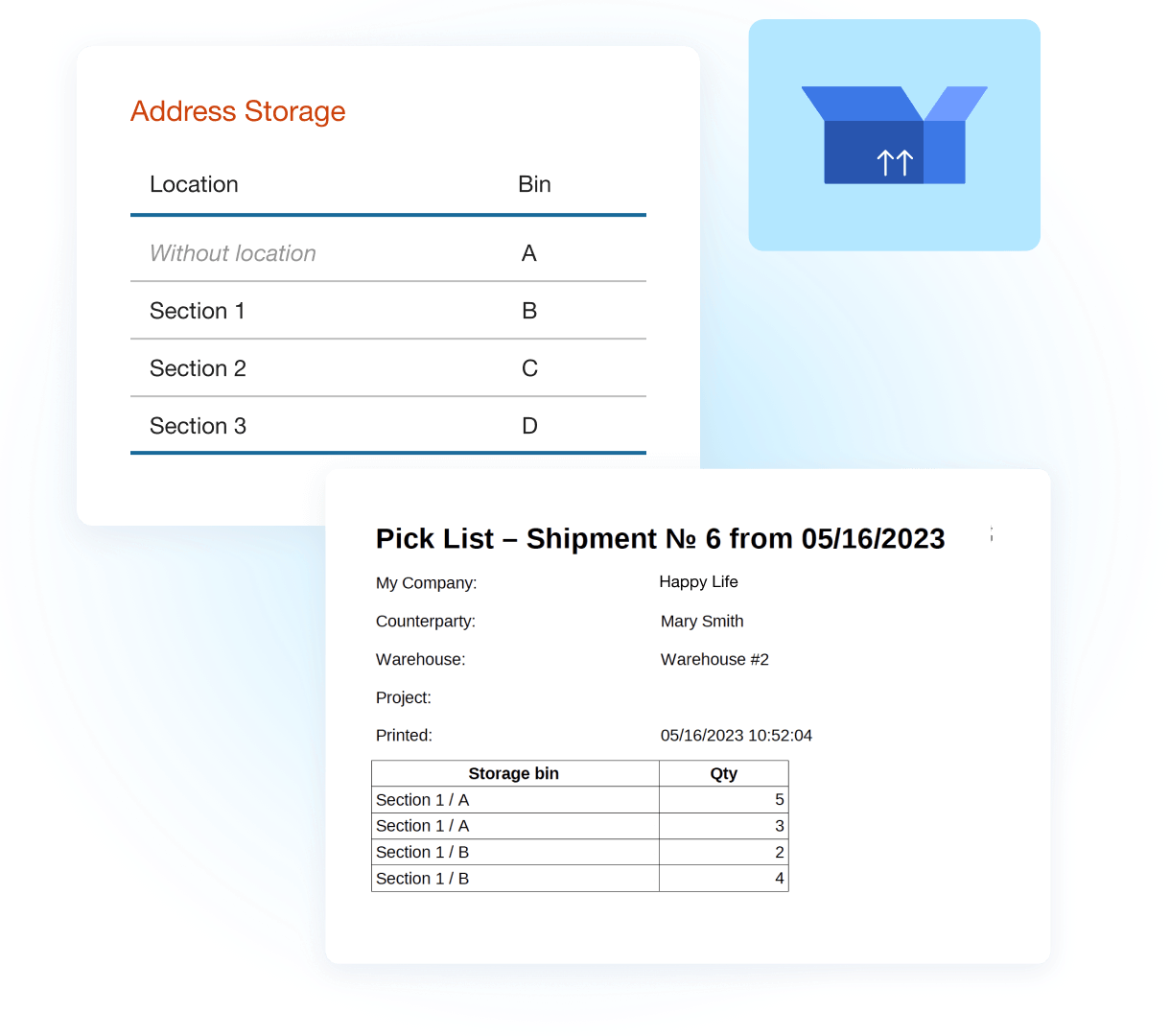
If you have more than one store or warehouse, Kladana allows you to record transfers, track separate stock levels, and maintain accuracy across locations.
Free plan available
Small teams can start digital inventory tracking at no cost. It’s an easy way to switch from spreadsheets to a reliable system.
Frequently Asked Questions on Inventory in and out Tracking
Stock in and stock out tracking often raises similar questions for beginners. Here are straightforward answers to the most common ones so you can set up your workflow with confidence.
What does “stock in” and “stock out” mean?
Stock in means goods entering your inventory — for example, purchases from suppliers or customer returns. Stock out means goods leaving your inventory through sales, shipments, write-offs, or transfers.
How do I record stock coming in and going out?
Use a simple workflow: record stock in when you receive goods and record stock out when you sell, ship, transfer, or write off items. Linking each entry to a purchase order or sales order helps you avoid mistakes.
Can I track stock in/out without spreadsheets?
Yes. Many small businesses switch from spreadsheets to basic inventory software because manual updates are easy to forget. In Kladana, stock levels update automatically as you record transactions.
What happens if I don’t track stock movements?
You may face stockouts, excess inventory, unreliable reports, and frequent mismatches during stock counts. These problems often lead to lost sales, cash flow pressure, and operational delays.
How often should I update stock records?
Daily updates for stock in and stock out work best for most businesses. If you have fewer transactions, weekly check-ins may be enough. The key is consistency: small delays create large inaccuracies over time.
Do I need barcodes for stock in/out tracking?
Barcodes are optional but helpful. They speed up receiving, picking, and stock counts. Small businesses can start without them and add barcodes later as inventory grows.
How do I handle damaged or lost items?
Record a stock out entry with a note explaining the reason. If the item is still usable but not sellable, move it to a separate internal-use or scrap category.
How can I prevent stockouts?
Set reorder levels, monitor fast movers, and track stock outs regularly. Early alerts help you restock before shortages disrupt sales.
How do I avoid overstocking while keeping enough inventory?
Review your sales patterns, track slow movers, and adjust purchase quantities based on actual demand. Keeping an eye on stock in entries helps prevent overordering.
Is there free software to track stock in/out for small businesses?
Yes. Kladana offers a free plan that supports basic stock in/out tracking, product lists, low-stock alerts, and item movement history.
These questions cover the basics of inventory in and out tracking for beginners.