
A production control plan explains what to check in a manufacturing process, how to check it, how often to check it, and what to do if results go out of range. It helps manufacturers keep quality stable, reduce scrap, and stay ready for audits.
A good control plan includes process steps, critical characteristics, control methods, check frequency, reaction plans, and records. It should be updated whenever the process, tooling, inspection methods, or requirements change.
This guide explains what a production control plan is, what it should include, how to create one, and how software can help keep it current.
- Production Control Plan at a Glance
- What Is a Production Control Plan?
- What a Production Control Plan Includes
- Why a Production Control Plan Matters in Manufacturing
- Control Plan vs PFMEA vs Process Flow Diagram
- Prototype, Pre-Launch, and Production Control Plans
- How to Create a Production Control Plan Step by Step
- Production Control Plan Template and Key Fields
- Manufacturing Control Plan Example
- Control Plans for Small Manufacturers: Where to Start
- Common Mistakes and How to Keep the Plan Updated
- FAQs About Production Control Plans in Manufacturing
- List of Resources
Production Control Plan at a Glance
A production control plan is a working document used to control quality during manufacturing. It shows what needs to be monitored, how control is performed, how often checks happen, and what action must follow if a result falls outside the expected range.
It is usually used by production managers, quality specialists, process engineers, supervisors, and operators. In practice, it works best when it is built around the real process and shared across the people responsible for production and quality.
A production control plan is especially useful for repeatable manufacturing processes, critical operations, and products that require stable quality and traceable checks. It should be reviewed whenever a process step changes, new equipment is introduced, customer requirements change, or defects start repeating.
What Is a Production Control Plan?
A production control plan is a document that describes how quality will be controlled during manufacturing. It connects process steps with the checks, measurements, and actions needed to keep output within the required standard.
In simple words, it helps the team answer four questions:
- what exactly needs to be checked;
- how it should be checked;
- how often the check should happen;
- what action should be taken if something goes wrong.
A control plan is not just a form for audits. It is a practical tool used to make production more stable, reduce mistakes, and help teams react faster when a process starts drifting away from the target.
📖 Recommended Read: Managing Production in SMEs — A Practical Guide
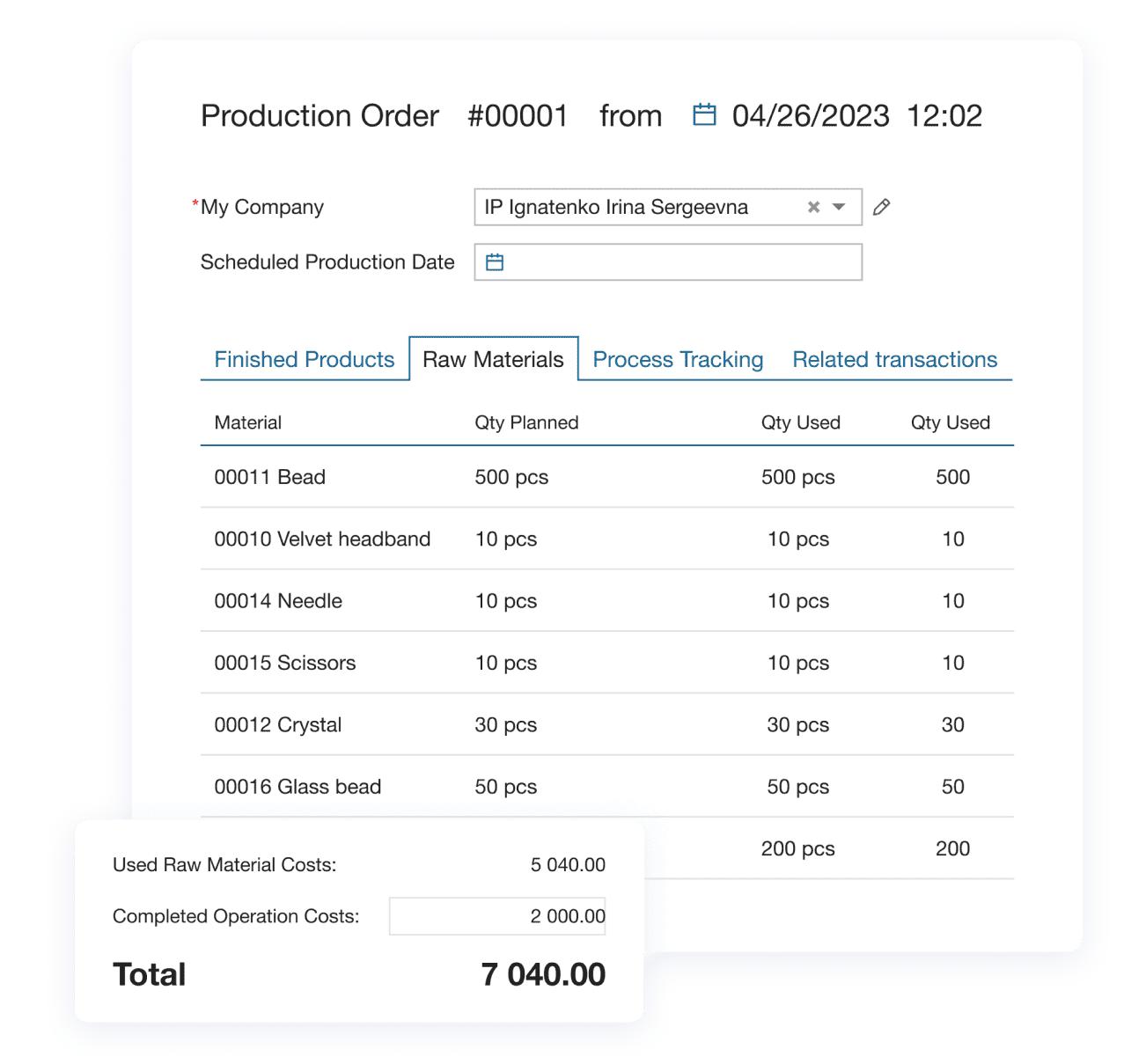
— Learn how small manufacturers organize production steps, track resources, and align them with quality requirements
What a Production Control Plan Includes
A production control plan usually includes several core elements.
| Control plan element | What it means |
| Process step or operation | The stage where control is applied, such as cutting, mixing, assembly, filling, inspection, or packing. |
| Product or process characteristic | The feature that must stay under control. It can be a dimension, weight, temperature, torque, appearance, labeling accuracy, or another important parameter. |
| Specification or tolerance | The target value or acceptable range that defines whether the result is acceptable. |
| Control method | How the check is performed. It may include visual inspection, manual measurement, sampling, gauges, sensors, or automated control methods. |
| Check frequency | How often the check happens: every batch, every shift, every hour, during setup, or at another defined interval. |
| Reaction plan | What the team must do if the result is outside the required range. For example, stop the line, isolate the batch, inform a supervisor, repeat the measurement, or adjust the machine. |
| Owner | The person or role responsible for the check and the next action. |
| Record | Where the result is documented, such as a paper log, inspection sheet, ERP entry, or digital checklist. |
A useful control plan is specific. General phrases like “check quality regularly” do not help operators work consistently.
Why a Production Control Plan Matters in Manufacturing
A production control plan helps manufacturers move from reacting to problems to controlling them in advance. Instead of discovering issues only after defects appear, the team knows what to monitor and how to respond before the situation gets worse.
This matters because many production problems are not caused by a lack of effort. They happen because teams do not have one clear document that explains what should be controlled at each step.
A clear control plan helps manufacturers:
- reduce scrap and rework;
- stabilize output;
- improve consistency between shifts;
- react faster to process deviations;
- support audit readiness;
- keep quality knowledge documented, not only stored in people’s heads.
For small and mid-sized manufacturers, this is especially important. When the process depends on manual coordination, scattered files, or verbal instructions, mistakes become harder to prevent and easier to repeat.
Control Plan vs PFMEA vs Process Flow Diagram
These documents are related, but they serve different purposes.
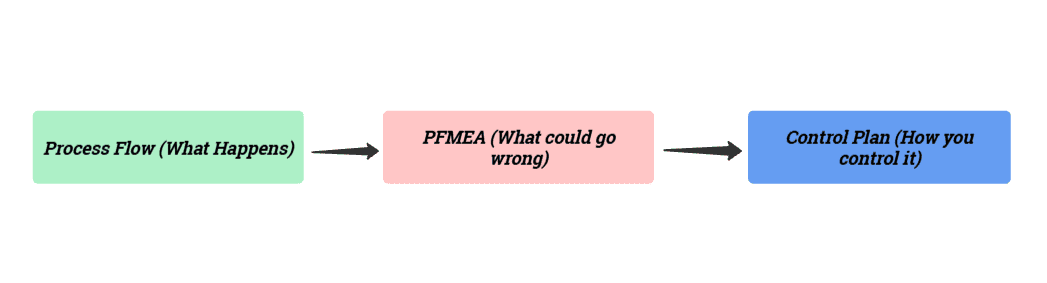
📝 A process flow diagram (PFD) shows the order of operations in the process.
📝 A PFMEA helps the team identify what could go wrong at each step and where the biggest risks are.
📝 A control plan shows how those risks and critical characteristics will be controlled during actual production.
In other words:
- the process flow shows what happens;
- PFMEA shows what could go wrong;
- the control plan shows how the team keeps the process under control.
These documents work best when they support each other. If one of them is updated but the others are not, gaps appear in the system and important risks can be missed.
Why Integration Matters in PPAP (Production Part Approval Process)?
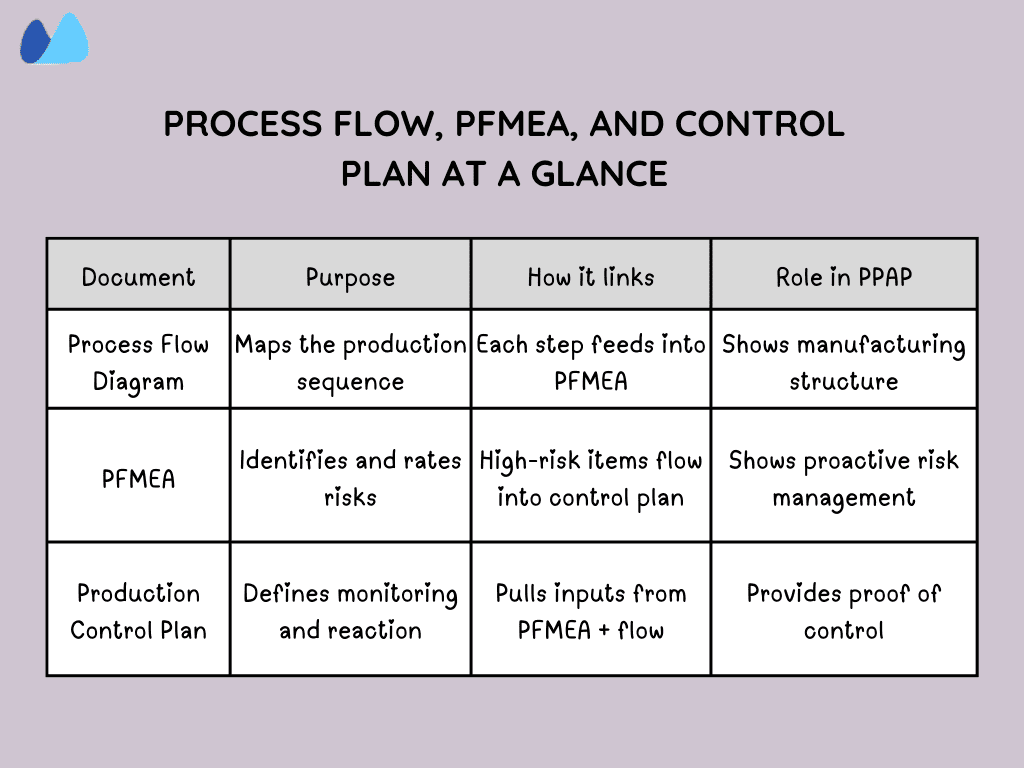
If a step in the process isn’t included in the PFMEA, or if a PFMEA risk isn’t carried over into the control plan, auditors view it as a traceability gap. These gaps raise red flags in PPAP reviews and can lead to rework, delays, or outright rejection of your submission.
By starting with a well-structured manufacturing control that links directly to the process flow and PFMEA, you eliminate duplication, close gaps, and make your PPAP package audit-ready.
If a step or risk isn’t connected across all three, it raises red flags in PPAP. By starting with a well-structured manufacturing control plan, you can make sure there’s no duplication or missing links.
📖 Recommended Read: Quality Management System: Key Elements for SMEs — Learn how to structure a QMS, document processes, and connect it with everyday manufacturing tasks
Prototype, Pre-Launch, and Production Control Plans
A control plan often changes as the product moves from development to full production. That is why manufacturers may use different versions of the control plan at different stages.
✔️ Prototype control plan
Used during early trials, pilot runs, or product development. At this stage, the goal is to learn quickly and identify weak points in the process.
✔️ Pre-launch control plan
Used before regular production begins. Controls may be stricter because the process is still being stabilized and verified.
✔️ Production control plan
Used in normal serial production. This version supports ongoing process control and becomes part of routine manufacturing work.
In practice, some manufacturers extend these stages further. In 2025, Nexteer required suppliers to maintain a 90-day launch containment phase, with every Control Plan tied directly to the PFMEA and process flow diagram for PPAP. It highlights how extended checks and traceability are used to secure stability before full production.
As the process becomes more stable, the control plan should also become more practical, accurate, and easier for the team to use every day.
Still managing control points in spreadsheets?
When revisions, records, and responsibilities are spread across multiple files, control plans go out of date fast. Kladana helps teams organize production workflows and supporting data in one place with less manual tracking.
How to Create a Production Control Plan Step by Step
Step 1. Map the real process
Start with the actual sequence of operations. The plan should reflect how production really works, not an ideal version of it.
Step 2. Identify critical characteristics
Mark the product and process parameters that affect quality, performance, safety, or customer requirements.
Step 3. Review risks and recurring issues
Use defect history, process knowledge, previous incidents, customer complaints, and internal review data to understand where control matters most.
Step 4. Define control methods
Choose how each critical point will be checked. Use methods that are realistic for daily work.
Step 5. Set check frequency and ownership
State how often each check happens and who is responsible for it. This should be clear enough for operators and supervisors to follow without guessing.
Step 6. Write the reaction plan
Each control point should include a clear response. If a result is out of range, the team should know exactly what to do next.
Step 7. Review and update the plan
A production control plan should change when the process changes. If it stays static while the process evolves, it quickly loses value.
Production Control Plan Template and Key Fields
A simple production control plan can include the following columns:
| Process Step | Characteristic | Specification / Tolerance | Control Method | Frequency | Reaction Plan | Owner | Record |
| Mixing | Temperature | 72–75°C | Digital thermometer | Every batch | Stop batch, inform supervisor, repeat check | Operator | Batch log |
| Filling | Net weight | 500 g ± 5 g | Checkweigher | Every 30 min | Hold output, recalibrate, recheck | Line lead | QC sheet |
| Labeling | SKU and batch code | Must match order | Visual check + scan | Start of shift and changeover | Stop line, isolate items, correct labels | Inspector | Inspection log |
This kind of structure is enough to start. Over time, teams can add more details such as revision level, approval status, equipment references, linked instructions, or sample size rules.
Manufacturing Control Plan Example
Here are a few examples of production control plans. They show how different steps can be documented with their characteristics, standards, checks, responsibilities, and reaction plans.
| Process Step | Characteristics | Standard | Method | Frequency | Reaction Plan | Owner | Record |
| Labelling | Sticker applied | The sticker must be aligned | Visual check | 1 in every 10 boxes | If crooked ➞ stop line, correct stickers, check last 10 boxes | Operator | Label check sheet |
| Drilling | Hole | Within tolerance | Gauge check | Sampled regularly | Stop the machine, fix the tool, and recheck the batch | Operator | Quality Control log |
| Assembly | Bolt torque | Meets specification | Manual torque check | Each unit | Re-torque and check recent items | Line lead | Torque Log |
| Packaging | Barcode label | Must scan | Scan test | Each carton | Replace label re-scan | Operator | Packing log |
Control Plans for Small Manufacturers: Where to Start
Small manufacturers do not need to document every process detail at once. A better approach is to begin with the few operations where mistakes are most costly, most frequent, or most difficult to correct later.
A simple starting point is:
- select 3–5 critical process steps;
- define one main characteristic for each step;
- choose one clear control method;
- set a realistic check frequency;
- assign responsibility;
- define what happens if the result is wrong.
This approach is often more useful than building a large spreadsheet that looks complete but is never updated or used on the shop floor.
The goal is not to make the control plan complicated. The goal is to make it usable.
📖 Recommended Read: How To Build a Production Schedule That Works — Check how to design production schedules and automate them with Kladana ERP
Common Mistakes and How to Keep the Plan Updated
The most common control plan problems are usually not about terminology. They happen because the document stops reflecting the real process.
Mistake 1. Treating the control plan as a one-time form
If the process changes but the control plan stays the same, the document becomes outdated.
Mistake 2. Writing vague controls
Instructions such as “check quality” or “inspect product” are too general to be useful in daily work.
Mistake 3. Missing reaction plans
If the team does not know what to do after a failed check, the control point is incomplete.
Mistake 4. Splitting information across too many files
When process steps, quality records, and revisions are stored in different places, teams lose visibility and consistency.
Mistake 5. Updating related documents but not the control plan
If risks, routings, or process steps change, the control plan should change too.
To keep the plan useful, review it after process changes, recurring defects, customer complaints, equipment updates, or changes in inspection methods.
FAQs About Production Control Plans in Manufacturing
Below are answers to the most common questions about production control plans, how they work, and how manufacturers use them in practice.
What is a production control plan?
A production control plan is a document that shows what to monitor in a manufacturing process, how to monitor it, how often checks happen, and what action to take if results go out of range.
What is the difference between a control plan and PFMEA?
PFMEA identifies process risks. A control plan shows how those risks will be controlled during production.
Who should create a production control plan?
It is best created with input from production, quality, engineering, and the people who know the real process.
When should a production control plan be updated?
It should be updated when the process changes, defects repeat, new equipment is introduced, inspection methods change, or requirements are revised.
Is a control plan only used in automotive manufacturing?
No. The same logic can be applied in many types of manufacturing where stable output and documented control matter.
Can a small manufacturer use a simple control plan?
Yes. A smaller plan focused on the most critical operations is often the best starting point.
List of Resources
Nexteer: Case study on Control Plan
Read‑alikes
Production Scheduling in Manufacturing: Methods, Tools, and Best Practices
Free Production Schedule Templates (Excel + Google Sheets)
Managing Production in a Small Manufacturing Company: Planning, Control, and Profit Calculation
QMS for Manufacturing: How a Quality Management System Improves Efficiency