
Ecommerce inventory becomes difficult long before a business runs out of warehouse space. The first warning signs are usually smaller: a product sells on one channel but remains available on another, employees reserve stock in a spreadsheet, a returned item is added back before inspection, or a purchase order arrives too late for a seasonal sales peak.
A reliable inventory process connects product data, sales channels, warehouses, orders, purchasing, and returns. This guide explains how to build that process, which methods and metrics to use, and when spreadsheets or built-in ecommerce tools are no longer enough.
Quick insight: how to manage ecommerce inventory correctly
Create consistent SKUs, keep one central inventory record, distinguish on-hand, reserved, available, and incoming stock, synchronize every sales channel, record returns and adjustments immediately, and replenish products based on demand and supplier lead time. Review inventory accuracy, stockouts, turnover, and sell-through regularly.
- What Is Ecommerce Inventory Management?
- Why Inventory Management Matters in Ecommerce
- How Ecommerce Inventory Management Works
- Common Ecommerce Inventory Challenges
- 10 Ecommerce Inventory Management Best Practices
- Ecommerce Inventory Methods and Formulas
- Ecommerce Inventory KPIs to Track
- How to Manage Inventory Across Multiple Sales Channels
- Spreadsheet, Ecommerce Platform, IMS, or ERP?
- How to Choose Ecommerce Inventory Management Software
- How Kladana Supports Ecommerce Inventory Management
- Frequently Asked Questions About Ecommerce Inventory Management
- Build One Reliable Inventory Process
What Is Ecommerce Inventory Management?
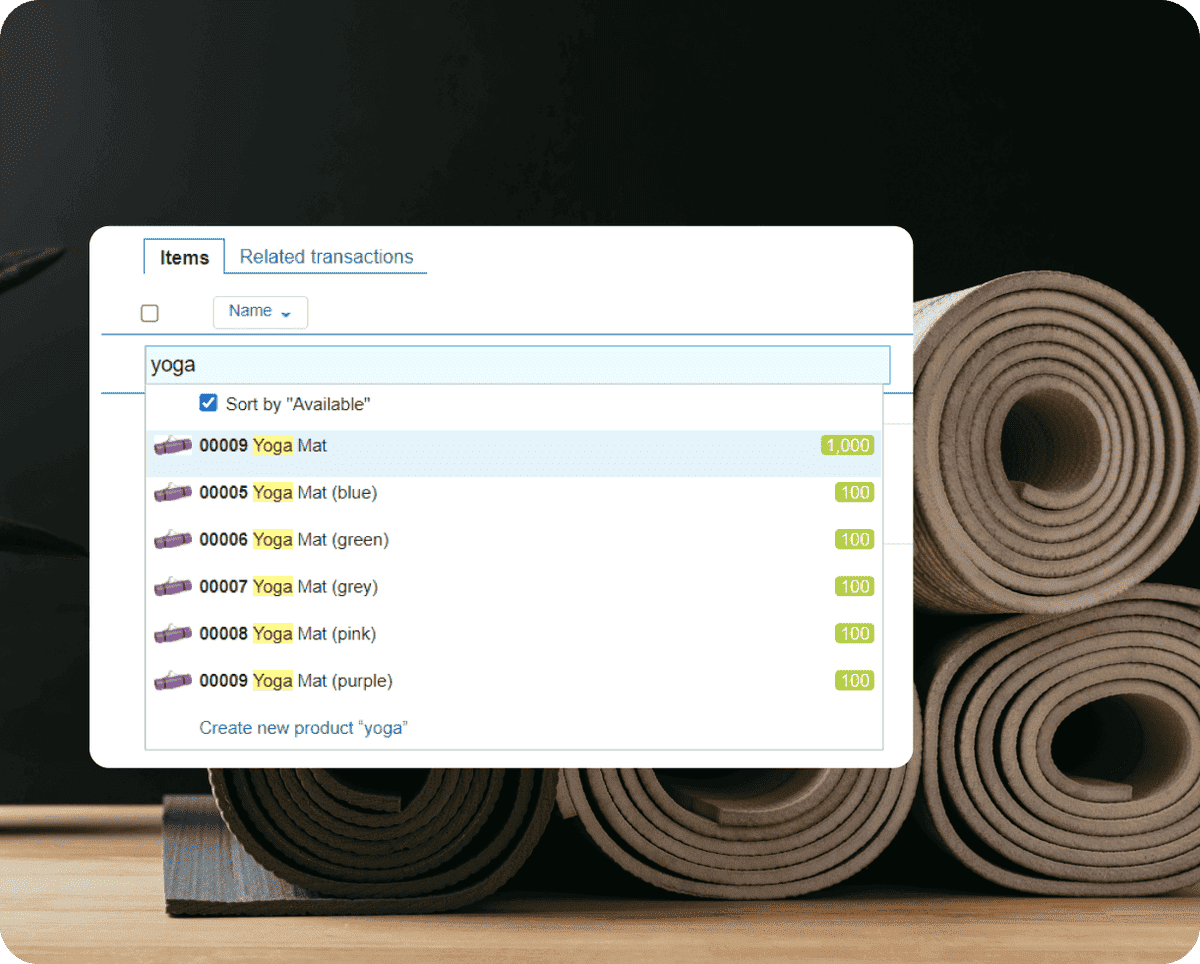
Ecommerce inventory management is the process of tracking, purchasing, storing, reserving, replenishing, and reporting on products sold through online stores and marketplaces. Its purpose is to keep the available quantity accurate across every sales channel and warehouse while controlling stockouts, excess inventory, and fulfillment delays.
It covers more than counting units. A complete ecommerce inventory process answers four questions at any moment:
- What products are physically on hand?
- How many units are already reserved for open orders?
- How many units can still be sold?
- What stock is expected from suppliers or production?
These quantities are related, but they are not interchangeable. A warehouse may contain 100 units, while 30 are reserved and only 70 are available to new customers. Publishing the physical count instead of the available count can cause overselling.
Why Inventory Management Matters in Ecommerce
Online sellers must make inventory decisions before a customer or employee sees the product. When stock data is wrong, the consequences move quickly across the business: the store accepts an order, the warehouse cannot fulfill it, support contacts the customer, and the payment may need to be refunded.
Here are the key reasons to implement efficient inventory processes:
- Fewer stockouts. Reorder points and demand data help the team replenish bestsellers before they become unavailable.
- Less overselling. Centralized available stock prevents two channels from selling the same last unit.
- Lower holding costs. Slow-moving and excess stock becomes visible before it ties up more cash and warehouse space.
- Faster fulfillment. Accurate product and location data helps employees pick the correct items without repeated manual checks.
- Better purchasing. Sales history, open orders, lead time, and incoming stock provide a stronger basis for purchase orders.
- More reliable profit data. Returns, write-offs, purchase costs, and channel expenses can be connected to actual sales.
Good inventory control does not mean maximizing stock. It means keeping enough of the right products in the right locations without locking unnecessary cash into products that may not sell.
How Ecommerce Inventory Management Works
A practical ecommerce inventory workflow follows the product through connected stages. Each stage must update the same inventory record.
Step 1. Create a consistent product catalogue
Assign each product and variant a unique SKU. Keep names, units of measure, barcodes, categories, supplier data, and channel listings connected to that SKU. Do not reuse a SKU for a different item.
Step 2. Receive stock
Record the actual quantity received, not only the quantity ordered. Note shortages, damaged products, batches, serial numbers, or expiry dates when they matter. The receiving document should increase on-hand stock.
Step 3. Synchronize and reserve orders
When an order arrives, the system should match each line to the correct SKU and reserve the required quantity. Available stock decreases even if the product has not left the warehouse yet.
Step 4. Pick, pack, and ship
Warehouse employees confirm the product and quantity during picking or packing. After shipment, the system reduces on-hand and reserved stock and updates the order status.
Step 5. Process cancellations and returns
A canceled order releases its reservation. A returned item should pass inspection before it is restocked. Damaged or incomplete products may need quarantine or write-off instead.
Step 6. Replenish inventory
Use sales demand, current available stock, incoming purchase orders, supplier lead time, and safety stock to decide when and how much to reorder.
📚 Recommended read: E-commerce Order Management: How to Streamline Orders, Fulfillment, and Returns
Common Ecommerce Inventory Challenges
Most ecommerce inventory problems are not caused by a single warehouse mistake. They appear when several tools hold different versions of the same product or order data.
| Challenge | Business risk | Recommended control |
Different stock counts across channels |
Overselling, cancellations, and manual reconciliation |
Use one central inventory record and publish available stock |
Inconsistent SKUs |
Sales deduct stock from the wrong product or variant |
Create a single SKU structure and map every channel listing |
Long or forgotten reservations |
Sellable products remain unavailable |
Set reservation rules and release expired orders |
Returns recorded late |
Available stock and financial reports become inaccurate |
Use a separate inspection and restocking workflow |
Seasonal demand spikes |
Stockouts before campaigns or excess inventory afterward |
Forecast by SKU and maintain targeted safety stock |
Bundles tracked as single items |
Components run out while the bundle still appears available |
Calculate bundle availability from component stock |
Several warehouses |
Orders ship from the wrong place or arrive late |
Track stock and reservations by location |
10 Ecommerce Inventory Management Best Practices
The following practices create a reliable foundation for both small online stores and growing multichannel businesses.
1. Use one source of truth
Select one system as the master inventory record. Sales channels should receive stock updates from it instead of maintaining independent quantities.
2. Standardize SKUs and variants
Use a clear SKU convention and keep color, size, material, pack size, and other variants separate. Consistent data makes integrations and reports more reliable.
3. Separate stock states
Track on-hand, reserved, available, incoming, returned, and damaged quantities separately. A single total cannot explain whether a product can be promised to a new customer.
4. Synchronize every sales channel
Connect online stores, marketplaces, and physical points of sale. Every order, cancellation, return, receipt, and adjustment should update the central record.
5. Set reorder points
Create an alert level for each important SKU. Base it on average demand, supplier lead time, and the amount of protection required against delays.
6. Maintain targeted safety stock
Do not apply the same buffer to every product. Keep a larger buffer for high-margin bestsellers or products with unreliable supply and a smaller one for stable, low-risk items.
7. Classify inventory
Use ABC analysis for value and importance, and XYZ analysis for demand predictability. The combination helps decide which SKUs require closer control.
8. Record exceptions immediately
Returns, damage, shrinkage, write-offs, and manual corrections must be documented when they occur. Delayed adjustments make every downstream report less reliable.
9. Run cycle counts
Count selected products regularly instead of relying only on one disruptive annual stocktake. Prioritize high-value and fast-moving SKUs.
10. Review KPIs and act
A dashboard has little value without a decision. Connect each metric to an action such as changing a reorder point, reducing a purchase, transferring stock, or clearing dead inventory.
📚 Recommended read: Low Stock Alerts 101 and How to Count Your Stock Without Shutting Down Your Store
Ecommerce Inventory Methods and Formulas
No single inventory method fits every product. Select methods according to product value, demand stability, shelf life, and supply risk.
| Method | Best used for | How it helps |
ABC analysis |
Prioritizing products by annual consumption value or business importance |
Directs the closest control toward A items |
XYZ analysis |
Separating predictable and volatile demand |
Improves forecasting and safety stock decisions |
FIFO |
General goods and products that should move in receipt order |
Ships older stock before newer stock |
FEFO |
Food, cosmetics, chemicals, and other dated goods |
Ships products with the earliest expiry first |
Safety stock |
Demand or supplier uncertainty |
Creates a buffer against unexpected changes |
Reorder point |
Products replenished from suppliers |
Shows when a purchase order should be placed |
EOQ |
Stable demand with measurable order and holding costs |
Estimates an economical purchase quantity |
Dropshipping |
Products shipped directly by a supplier |
Reduces owned inventory but increases dependence on supplier data |
Reorder Point Formula
Reorder point = Average daily sales x Supplier lead time + Safety stock
If a product sells 8 units per day, the supplier takes 10 days to deliver, and the business keeps 20 units of safety stock, the reorder point is 100 units. When the available stock reaches that level, the team should place the next purchase order.
Economic Order Quantity Formula
EOQ = square root of [(2 x Annual demand x Ordering cost) / Annual holding cost per unit]
EOQ is most useful when demand and costs are relatively stable. It should not override real constraints such as supplier minimums, warehouse capacity, seasonality, expiry dates, or available cash.
For a deeper planning guide, see Inventory Forecasting: Methods, Examples & Best Practices.
Ecommerce Inventory KPIs to Track
A small set of actionable KPIs is more useful than a dashboard filled with disconnected numbers. Review these metrics by product category, channel, and warehouse when possible.
| KPI | Formula | What it shows |
Inventory accuracy |
Correct records / Records checked x 100 |
How closely system data matches physical stock |
Stockout rate |
Stockout events / Product demand events x 100 |
How often demand cannot be fulfilled |
Sell-through rate |
Units sold / Units received x 100 |
How quickly received stock converts into sales |
Inventory turnover |
Cost of goods sold / Average inventory value |
How often inventory is sold and replaced |
Days inventory outstanding |
Average inventory / Cost of goods sold x Days |
How long cash remains tied up in inventory |
Order fill rate |
Orders fulfilled in full / Total orders x 100 |
Ability to supply complete customer orders |
Dead stock percentage |
Dead stock value / Total inventory value x 100 |
Share of inventory unlikely to sell normally |
Return rate |
Returned units / Units sold x 100 |
Potential product, quality, listing, or fulfillment issues |
Metrics must lead to decisions. A falling sell-through rate may justify a smaller purchase, a price change, or a bundle. A high stockout rate may require a higher reorder point or a supplier review. A rising return rate should be checked by SKU, reason, channel, and fulfillment location.
🤝 FREE RESOURCE
Check your inventory process before problems reach customers. Use Kladana’s free checklist pack to review stock records, warehouse routines, and common inventory risks.
How to Manage Inventory Across Multiple Sales Channels
Multichannel inventory management means controlling one inventory pool while selling through several online stores, marketplaces, and physical locations. The central system should decide what quantity can be offered and distribute that availability to each channel.
Use a Master Inventory Record
Product listings can have different titles, descriptions, images, and prices, but they must map to the same underlying SKU. The central inventory system records physical stock, reservations, incoming quantities, adjustments, and location data.
Publish Available-to-Sell Stock
Available-to-sell stock is the quantity that can still be promised after existing reservations and operational buffers are considered. Publishing this quantity instead of the full warehouse count reduces the risk that two channels sell the same unit.
Define Reservation Rules
Decide when stock is reserved: when an order is created, when payment is confirmed, or when fulfillment begins. Also define when a reservation expires. The right choice depends on payment methods, cancellation rates, and order processing time.
Keep Returns and Cancellations Connected
A cancellation normally releases reserved stock. A return requires more steps because the product may need inspection, repackaging, quarantine, or write-off. Do not automatically make every returned item available for sale.
Track Inventory by Location
When several warehouses hold the same SKU, the system should show on-hand and available quantities by location. Order-routing rules can then consider product availability, delivery time, fulfillment cost, and warehouse capacity.
📚 Recommended read: E-commerce Warehouse Management System: A Complete Guide to Smarter Fulfillment
Spreadsheet, Ecommerce Platform, IMS, or ERP?
The right inventory tool depends on product range, order volume, channels, warehouses, and the business processes that must remain connected.
| Option | Best for | Main limitation |
Spreadsheet |
New stores with a small catalogue and low order volume |
No real-time synchronization; errors grow when several employees edit data |
Built-in ecommerce tools |
One store with simple purchasing and fulfillment |
Limited control over multiple warehouses, suppliers, or production |
Inventory management system |
Growing sellers that need centralized stock and replenishment |
May require separate order, accounting, CRM, or production tools |
ERP |
Businesses connecting stock, orders, purchasing, warehouses, sales, and production |
Requires structured setup and process ownership |
A spreadsheet can still be useful at the beginning. See the free Excel inventory management template and guide. When orders and stock must update automatically, move the master record to a connected system.
How to Choose Ecommerce Inventory Management Software
Start with the workflow and risks, not the longest feature list. A system should solve the problems the business already has and support the next stage of growth without adding unnecessary complexity.
- Sales-channel integrations. Confirm which platforms are supported and what data moves in each direction.
- Inventory synchronization. Check how quickly orders, returns, receipts, and adjustments affect available stock.
- Reservations. Make sure the system can separate on-hand, reserved, and available quantities.
- Products and bundles. Test variants, kits, packs, component-based bundles, units of measure, and barcodes.
- Warehouse control. Look for location-level stock, transfers, receiving, picking, packing, and inventory counts.
- Purchasing. Evaluate supplier records, purchase orders, reorder points, incoming stock, and purchase returns.
- Reporting. Confirm that reports answer operational questions by SKU, warehouse, channel, and period.
- Connected processes. Consider accounting, CRM, order management, manufacturing, delivery, and API requirements.
- Usability and onboarding. Ask employees who perform daily work to test common tasks, not only dashboards.
- Total cost. Include subscription fees, integrations, setup, training, support, and the time required for manual work that remains.
Before committing, test a complete scenario: import products, receive stock, sync an order, reserve it, ship it, process a return, create a purchase order, and review the resulting report. This reveals gaps that a sales demonstration may not show.
Shopify sellers can also use the focused guides on choosing an ERP for Shopify and selecting a WMS for Shopify.
How Kladana Supports Ecommerce Inventory Management
Kladana is a cloud ERP for small and medium-sized E-Commerce, D2C, wholesale, and manufacturing businesses. It can act as the central system for inventory, sales orders, purchasing, warehouse operations, and production instead of forcing employees to reconcile several disconnected files.
See how Kladana is well equipped to handle your inventory efficiently:
Ecommerce teams can use Kladana to:
- Maintain a structured product catalogue with categories, variants, bundles, images, prices, and barcodes.
- Track on-hand and available stock across warehouses, marketplaces, online stores, and points of sale.
- Connect Shopify and supported integrations for WooCommerce, CRM, delivery, and other tools.
- Use reorder points, purchase orders, receiving, supplier records, and purchase returns to manage replenishment.
- Support warehouse work with storage bins, barcodes, pick lists, transfers, write-offs, and full or partial inventory counts.
- Analyze sales, stock, product profitability, expenses, demand, and performance by sales channel.
- Manage BOMs, raw materials, production orders, and finished goods when a D2C brand manufactures its own products.
Explore the full Kladana inventory management module, order management system, or Shopify inventory management solution.
Customer Example: Scaling Order Processing Without Adding Staff
Decoretto, a home decor business, centralized online sales and order processing in Kladana before the busy pre-holiday period. According to Oleg Iliyn, Director of Business Development, the company increased daily order processing from around 50 orders to 250–300 without expanding the team.
“We entered the busy pre-holiday season with a well-functioning system and peace of mind. Without increasing our staff, we managed to process not 50, but 250–300 orders per day.”
14-DAY FREE TRIAL
See how centralized inventory works with your own products
Test stock tracking, order processing, purchasing, warehouse operations, and reports in Kladana. No credit card is required.
Frequently Asked Questions About Ecommerce Inventory Management
These short answers cover the questions ecommerce teams most often ask when they begin organizing stock across channels and warehouses.
What is ecommerce inventory management?
It is the process of tracking, storing, reserving, replenishing, and reporting on products sold online. A reliable process keeps available stock accurate across sales channels and warehouses.
How do small ecommerce businesses track inventory?
A very small store can start with a spreadsheet or built-in ecommerce tools. As orders, SKUs, employees, or channels grow, a centralized inventory system reduces manual updates and conflicting stock data.
How can an ecommerce business prevent overselling?
Use one master inventory record, synchronize every sales channel, reserve units for open orders, and publish available-to-sell stock rather than the total physical count.
What is available-to-sell inventory?
Available-to-sell inventory is the quantity that can still be offered to new customers after reservations and any defined operational buffer are deducted from usable stock.
How often should ecommerce inventory be counted?
Count high-value and fast-moving products more often through cycle counts. The exact frequency depends on sales velocity, value, shrinkage risk, and historical inventory accuracy.
Can Shopify manage inventory without additional software?
Shopify includes inventory features that may be enough for a simple store. Additional software becomes useful when the business needs more advanced purchasing, warehouse operations, production, reporting, or connections with other sales channels.
When should a business move from spreadsheets to inventory software?
Consider moving when employees duplicate data, stock differs across channels, orders are canceled because products are unavailable, purchasing is reactive, or reporting requires hours of manual reconciliation.
What is the difference between IMS, OMS, WMS, and ERP?
An IMS focuses on inventory, an OMS coordinates orders, and a WMS manages warehouse execution. An ERP connects inventory and orders with wider processes such as purchasing, sales, finance, CRM, or production. Product boundaries vary, so compare actual workflows rather than labels alone.
Build One Reliable Inventory Process
Ecommerce inventory management works best when every sale, receipt, reservation, cancellation, return, transfer, and adjustment updates the same trusted record. Start with clean SKUs and clear stock states. Then connect sales channels, define reservation rules, set replenishment controls, and review a small set of actionable KPIs.
The goal is not to hold more inventory. It is to make better promises to customers while using stock and working capital more efficiently. When spreadsheets or platform tools can no longer keep orders, warehouses, purchasing, and reporting aligned, a centralized inventory or ERP system provides the structure needed to scale.
NEXT STEP
Manage inventory, orders, and purchasing in one system
Kladana helps ecommerce and D2C teams keep stock accurate, process orders, replenish products, and control warehouse operations as the business grows.